Top 20 Essential Data Engineering Tools to Use in 2026
Dhrumil Mistry
Published: Dec 04, 2025|Updated: Feb 26, 2026
Table of Content Table of Content
Quick Summary: Data engineering tools are the backbone of modern data infrastructure and need to be assessed, cleaned, and organized based on requirements. In this blog, we will walk you through the data engineering segments and the tools needed for each.
A data warehouse is the glowing skyscraper of your business, and the intricate works of modern data engineering tools and the effort of data engineers are the most unsung parts!
From owning quality data to define metrics and managing complexity to bridging the gap between complex technical systems, data engineers hold the steering wheel of your enterprise car. Many enterprises also rely on specialized data architecture development services to design scalable foundations that support these engineering efforts.
Yes, that’s quite a tedious yet adventurous journey!
According to Precedence Research, the global data preparation tools market size was $7.01 billion in 2024 and may reach $31.45 billion by 2034 at a CAGR of 16.20%. The spike occurred due to the evolving data engineering technologies and their applications.
I’ve spent countless hours with my team understanding how data engineering platforms and tools are performing to power, clean, and direct information flow. We’ve tested all the best tools for data engineering that maintain and deploy data solutions, streamline workflows, transform and visualize information, and use various batch processing.
Next, we will uncloak the best data engineering tools to help you pick the ones that work best for managing the complex and cumbersome parts of your data management system.
Before digging deeper into the main context, let’s have a brief introduction to data engineering.
What is Data Engineering?
Data Engineering is the practice of designing and developing systems to aggregate, store, and analyze data. With proper data engineering solutions and the right data engineering company, developers, executives, and data scientists can access relevant datasets across an organization.
Data engineers handle large volumes of data in real time, and their role is pivotal in enabling businesses to extract insights. They work with analysts, data scientists, and other stakeholders to ensure the existing data infrastructure supports the organization’s current goals.
What are Data Engineering Tools?
Data engineering tools are crucial software and platforms that manage, transform, and organize company data throughout its lifecycle. These tools are the backbone of classic data infrastructure, empowering engineers to collect, process, and prepare data for rapid analysis and turn it into actionable insights. Many companies also pair these tools with modern AI development solutions to maximise automation and intelligence across their workflows. Not only data processing, these tools also enhance data protection, discovery, and collaboration.
Data engineering tools can be classified into multiple categories, each adding value to specific aspects of the data pipeline. Here you go:
Tools Category
Tools Description
Ingestion Tools
Collects and imports data from multiple sources into a single ecosystem. Ingestion tools support extract, transform, and load processes.
Processing Tools
Transform, clean, and manipulate information in accordance with requirements. Also, these tools perform complex data operations efficiently.
Warehousing Tools
Provides efficient data storage, including cloud-based and on-premises solutions.
Monitoring Tools
Provides real-time analytics into data pipeline health, ensuring data reliability.
Data Quality Tools
Supports data security, quality, and compliance management. This includes lineage, metadata, and policy control.
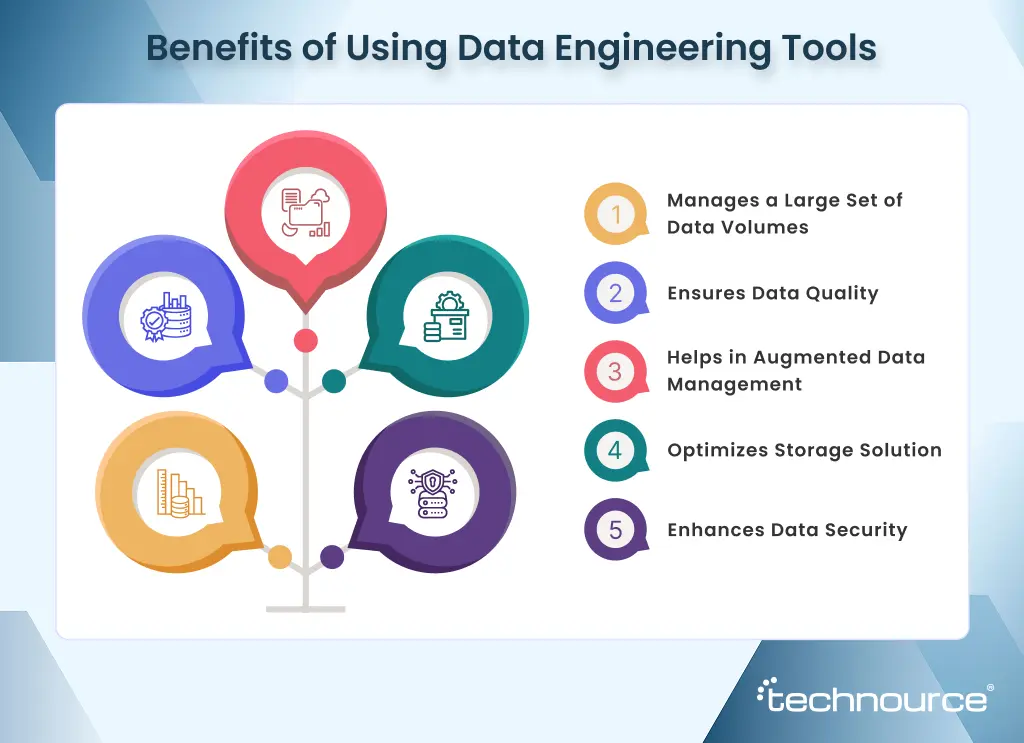
5 Reasons Why Businesses Need Data Engineering Tools in 2026
According to Statista, the global amount of data created, copied, and consumed globally is estimated at 173.4 zettabytes in 2025. The forecast stands at 527.5 zettabytes for 2029, a threefold increase from 2025. You cannot afford for your team to drown in that much data to develop insightful analytics.
On that note, tools dedicated to gathering, capturing, and analyzing data that follow the latest data engineering technologies. From CRM systems to IoT devices, tons of data are coming from multiple touchpoints. On that note, your business needs top data engineering tools to help your team function efficiently.
1. Manages a Large Set of Data Volumes
The world generates a significant amount of data every day. In gathering, assessing, and cleansing data, data engineering tools play a pivotal role. Data engineers develop scalable architectures using a data engineering framework to enable a business to manage data without bottlenecks.
HMRC, the UK’s tax, payment, and customs authority, has signed a multimillion-dollar contract for a data management platform extension. The platform has enabled the HMRC team to gain rapid access to data, supporting multiple departmental objectives.
2. Ensures Data Quality
Picture this- Your team has decided to move forward with a recent project based on flawed data. Chances are evident that they will soon meet the consequences of the same!
That’s flummoxing!
With top modern data platforms, experts can prevent any type of bottlenecks. This includes incorporating data validation rules and automating cleansing scripts. Besides, experts use data engineering frameworks to schedule and monitor workflows. This ensures zero data loss.
3. Helps in Augmented Data Management
According to Deloitte, augmented data management is leveraging AI applications to automate data management tasks. It can support data talent by eliminating time-consuming, data-intensive tasks. Now, the blend of AI tools for data engineering and augmented data management identifies and resolves the quality issues, manages metadata, and master data.
4. Optimizes Storage Solution
We believe the pressing need for secure storage solutions has increased significantly since 2022.
According to IBM, the average cost of a data breach has reached $4.4 million per incident. These not only affect financial performance but also tarnish the company’s image.
The best data engineering tools enable tiered storage through caching mechanisms and columnar formats. The results are overwhelming: query times dropped, and storage costs decreased significantly.
5. Enhances Data Security
Safeguarding company data is not limited to ticking compliance boxes. Data engineering tools track data lineage to capture how data flows and how it’s been used. Besides, it complies with industry regulations by encrypting sensitive data.
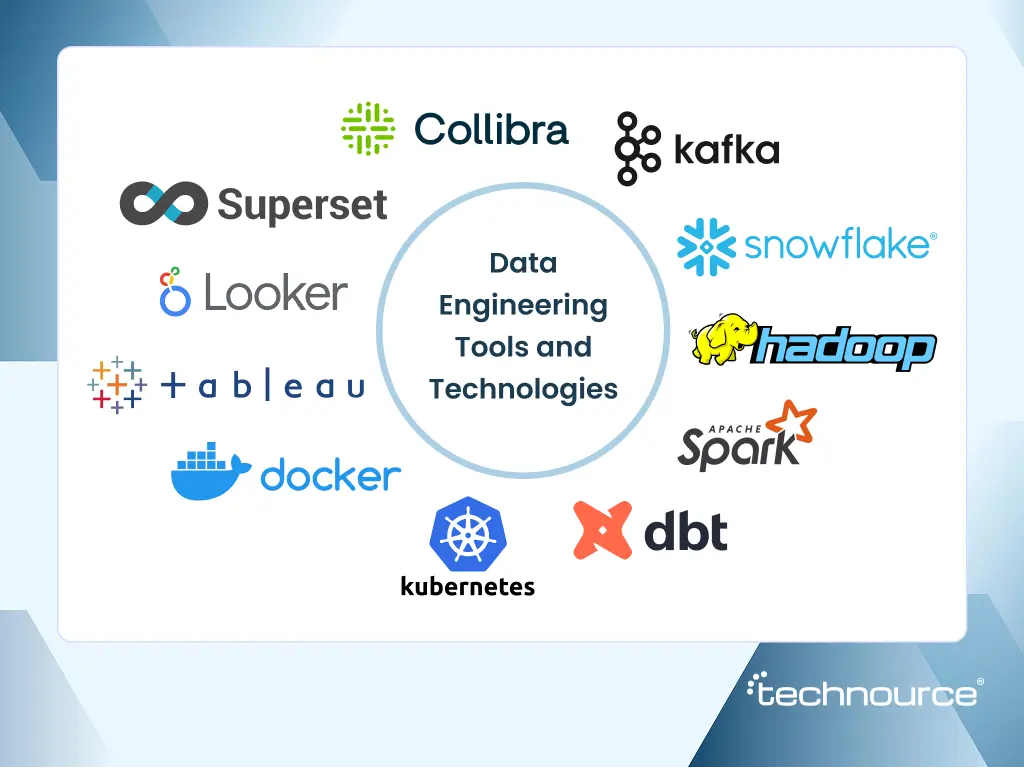
Top 20 Data Engineering Tools and Technologies to Watch for in 2026
Let’s take this example first: Claritas Rx, a technology company focused on real-world data management for biopharmaceutical distribution, turns complex healthcare data into actionable insights with a robust data engineering team and the latest tools. “Our biggest advantage lies in bringing diverse data sources together and connecting them to provide valuable insights”, described Athena Uzzo, Senior Vice President of Customer Experience at Claritas Rx.
Now, this begs the next question-
What tools do engineers use to build the best, most robust data pipeline for big data integration?
How did the team perform seamless extraction, transformation, and data from multiple resources into lakes, warehouses, and analytics platforms?
The answer is – top data engineering tools. Let’s explore the popular tools for each stage, their key features, pricing, and how they can help your dedicated data engineering team unlock the maximum potential of data. The best part is that we have tried and tested all the tools that helped us gain the maximum knowledge.
1. Data Ingestion Tools
These tools are software solutions designed to gather, import, and process data from multiple sources into a single storage system. This can include various data formats and types, which are to be automated to maintain the timeliness and accuracy of business data.
a) Apache Kafka
This is an open-source, distributed streaming platform that handles real-time data feeds between multiple applications. Apache Kafka is popular for its low latency, high performance, and fault tolerance.
According to Enlyft, more than 40,000 companies use Kafka, with a 26.7% market share. Kafka is already implemented by a vast number of companies around the globe, including those that develop performant data pipelines, integrate data across multiple sources, and perform streaming analytics. Recently, the integration of Oracle Transactional Event Queues (TxEventQ) with Apache Kafka has enabled native event streaming within the Oracle AI database.
The new release of Apache Kafka 4.1 has something for everyone in data streaming, from Kafka-curious developers to Kafka veterans. To be specific, Kafka 4.1 addresses the points where developers were requesting native solutions.
Key Features
Permanent Storage – Stores data in a durable, distributed, and fault-tolerant cluster.
Scalability – Elastic expansion or contraction of storage is done as required.
Open-Source Tools – Enhance data ingestion with a wide range of community-driven open-source tools.
When to Choose Apache Kafka
Developing real-time applications, which require instant data updates.
High-volume data ingestion from diverse sources.
Teams need to manage the distributed systems infrastructure.
Pricing
Confluent Cloud: $1-12 per hour per cluster
Amazon MSK: $0.25 per broker per hour
b) Google Cloud Dataflow
Google Cloud Dataflow is a fully managed Google Cloud service for batch and stream processing. It provides simple data pipelines that move data between systems at scheduled intervals.
Google Cloud Dataflow is developed on top of Apache Beam. Therefore, your team can implement code ingestion pipelines using the Beam SDKs. Also, the tools offer predefined workflow templates to build pipelines quickly.
Key Features
Vertical Autoscaling – Processing power dynamically adapts to the workload. In parallel autoscaling, right-sizing allocates resources to each phase to eliminate overprovisioning while increasing efficiency.
Notebook integration – Vertex AI notebooks enable the data engineering team to develop new pipelines while implementing them with Dataflow Runner. Your team can write Apache Beam pipelines and explore diagrams with a REPL workflow.
Dataflow SQL – The data engineering team can develop streaming platforms for Dataflow directly from the Web user interface. Also, your team can capture results in BigQuery and turn them into real-time dashboards.
When to Choose Google Cloud Dataflow
Need support for custom transformation in multiple programming languages, including Python, Go, and Java, for data processing logic.
You can integrate other Google Cloud services like Pub/Sub, BigQuery, and cloud storage with Google Cloud Workflow. This makes data storage easier.
Needs a visual interface to monitor pipelines.
Needs control over data processing tasks.
Pricing
Compute Engine Pricing – This is based on the compute resource used by the Dataflow job.
Streaming Engine Pricing – Charged per vCPU per hour.
Shuffle Pricing – Charged per TB of data processed.
2. Data Warehouse Tools
These are software applications or platforms designed to manage, store, and analyze large volumes of data from multiple sources, including databases, cloud services, spreadsheets, and IoT devices. The centralization process streamlines data management and eliminates the need to navigate through various data silos.
According to Precedence Research, the global data warehouse market touched $8.13 billion in 2025 and may reach $37.84 billion, growing at a CAGR of 18.64%. These staggering numbers represent the increasing prevalence of data warehousing.
a) Snowflake
Snowflake is an American cloud-based data storage company. This data engineering tool enables your team to store, manage, and analyze large datasets in a scalable, efficient way. Snowflake separates compute and storage to enable automatic performance optimization, concurrency, data sharing, etc.
Key Features
Supports Semi-Structured Data Loading – The Snowflake database supports structured and semi-structured data loading.
Multi-Cloud Support – With multi-cloud support, your team can deploy the data warehouse product on the preferred cloud platform.
Third-Party Tool Integration – Integrates with multiple third-party tools for data sharing and collaboration. Recently, Snowflake proposed a new integration with NVIDIA to augment machine learning workflows directly into the Snowflake platform.
When to Choose Snowflake
When your team prefers SQL-based analytics over complex programming.
Multiple work packets requiring elastic compute scaling.
Requires data sharing across companies.
Budgets permit to use usage-based pricing model.
Pricing
Standard – $2/credit
Enterprise – $3/credit
Business Critical – $4/credit
On-Demand Storage – $23/TB/month
b) Big Query
This is Google Cloud’s fully managed, serverless data warehouse tool. BigQuery is developed to run fast, SQL-based analytics on datasets and supports standard SQL. Also, it consolidates siloed data into a single location, enabling your team to perform data analysis.
Key Features
Large Dataset Handling – BigQuery is excellent for handling large datasets, as it automatically scales with demand.
Supports Multiple Data Types – Enables multi-cloud analytics and supports all data types.
In-Built ML and BI – BigQuery has built-in BI and ML within a single platform.
When to Choose Google BigQuery
Unprecedented Query Patterns need serverless scaling.
Experts need in-built machine learning capabilities without separate tools.
Usage is customized, so it requires a pay-per-query model.
Pricing
On Demand – First 1 TiB of query data is free. Then, the charges will be per byte processed by each query.
Capacity Pricing – Based on per slot/per hour pricing.
3. Data Processing Tools
Data processing tools are used to accumulate, organize, and transform raw data into actionable insights. This involves steps such as input, sorting, validation, calculation, and output to enable accurate analysis, reporting, and thorough decision-making.
a) Apache Hadoop
Hadoop is an open-source framework for the distributed processing of large datasets. This is the bedrock of big data processing, offering fault tolerance, scalability, and the ability to handle vast datasets.
As stated by Enlyft, more than 45000 companies use Hadoop, with a 5.88% market share. This shows the demand for this data engineering tool among organizations that need to store and process large-scale data.
Key Features
Handles Large Volumes of Datasets – Hadoop handles large volumes of unstructured and structured datasets.
Fault tolerance – Replication of data across multiple nodes ensures operational consistency, even during sudden failures of any hardware. This resilience is crucial for several sectors and the application based on the work. For example, a nursing home benefits from built-in fault tolerance by relying on Hadoop for patient data analytics.
Cost-Efficient – As an open-source platform, Hadoop benefits from commodity hardware, significantly reducing costs compared to other solutions. This is an ideal option for businesses looking to manage large-scale data.
When to Choose Apache Hadoop
Want to ensure optimal inventory levels by analyzing a significant number of transactions daily. Global e-commerce player Walmart leverages the power of Hadoop to assume and respond to customer demand with subtle processes.
If a company wants to process large volumes of financial data in real time to enable proactive risk modelling and fraud detection.
Industries like insurance companies, banks, and financial services companies are looking to develop risk analysis and management models.
Pricing
Free and open-source tool. However, pricing may vary based on storage, hardware, and the expertise required to manage the tool.
b) Apache Spark
Apache Spark is an open-source data processing and analytics engine for large-scale data processing. This is a renowned, straightforward data management and stream-processing framework.
Apache Spark enables your team to execute data engineering, ML, and data science on a single-node cluster. This is appropriate for PySpark, one of the best Python GUI frameworks, which is designed to deliver the speed and scalability required for big data.
Key Features
Accelerates App Building Procedure – The SQL and streaming programming models backed by GraphX make the thing easier to develop applications.
Innovates Faster – APIs enable the data team to access data while easily manipulating and transforming semi-structured data.
Quick Processing – Spark can run faster than Hadoop for smaller workloads because it includes an in-memory computing engine.
When to Choose Apache Spark
The team has substantial know-how in cluster management.
Need a cost-effective solution.
Workloads involve real-time and batch processing.
Pricing
Free due to open-source application.
4. Analytics Engineering Tools
These tools streamline the transformation, evaluation, and documentation of data in the data warehouse, forming the backbone of any robust data analytics development solution.
a) dbt
This SQL-based command-line tool enables data teams to develop reliable, modular pipelines in cloud data warehouses. DBT focuses on the “T” of ELT/ETL, allowing users to write transformations that compile into tables or views.
According to Enlyft, 900+ companies use dbt, with a 0.26% market share. Among these, 56% are in the United States, and 7% are in the UK.
Key Features
Data Testing – dbt adds tests for relationships, uniqueness, and more, while automatically generating lineage-aware documentation to enhance visibility.
Open-Source – Contains pre-built packages, plug-ins for use cases.
Jinja Templating – Helps organize transformations into reusable components.
When to Choose dbt
Teams prefer SQL to complex programming languages
Need data lineage tracking
Want to test data transformations
Pricing
Starter Plan – $100 per user per month.
Enterprise Plan – Custom Pricing based on requirements.
b) Dataform
Dataform is cloud native platform that helps teams automate while managing SQL workflows in BigQuery. It enables the data team to define, test, schedule, and capture data transformations using SQL.
Key Features
Data Simplification – Develop and orchestrate scalable data pipelines from a single environment.
Software Development Collaboration – Data teams can manage with their SQL code, following software engineering best practices.
Manage Dependencies – Managing dependencies is easier with Dataform while configuring data quality tests.
When to Choose Dataform?
Data engineers want to collaborate on the same code repository.
Team wants to curate trusted and up-to-date documented tables.
Team wants to integrate with GitLab and GitLab.
Pricing
This is a free service. However, there may be additional costs while using the product.
5. Software Containerization Tools
Containerization involves bundling applications and their runtime environments into a single unit. This is a lightweight, quick, and self-sufficient environment that enables applications to run seamlessly across multiple systems. A containerization tool allows the team to develop, run, and manage containers efficiently.
a) Kubernetes
An open-source container orchestration tool that entirely handles the workloads without writing code in other programming languages like Python, JavaScript, or Ruby. Moving forward, the companies can significantly reduce costs by using Kubernetes-based infrastructure.
Yellowbrick has moved its workloads from the public cloud to a private Kubernetes cluster. This has helped them to save $3.9 million annually.
Key Features
Wide Configuration Options – Enables networking, scheduling, storage, and security customization based on specific requirements.
Containerized Data Management – Kubernetes excels at managing containerized data workflows to ensure scalability and resource allocation.
Wide Variety of Tools – The team can access a range of tools and integrations for security, monitoring, CI/CD, and service mesh.
When to Choose Kubernetes
Companies need to customize infrastructure
Big-scale deployments with specific requirements.
Pricing
Basic – $12 per month/node
CPU-Optimized – $42 per month/node
General Purpose – $63 per month/node
Memory-optimized – $84 per month/node
Storage-optimized – $163 per month/node
b) Docker
Docker is a containerization platform used by developers to build, share, and run applications. This facilitates application development with a consistent environment across multiple systems. Therefore, developers can easily manage and deploy applications.
According to Market Growth Reports, the global Docker market was valued at $602.07 million in 2024 and may grow to $8429.52 million by 2035 with a CAGR of 27.1%. Now, you understand the growth rate of containerization with Docker. Let’s have a look at its features-
Docker Desktop – Docker Desktop for the local environment provides a consistent environment to develop and test applications.
Supports Local and Cloud Development – Docker supports both local and cloud development, enabling developers to work with a wide array of options.
Quicker Application Delivery – The Docker build cloud improves image build speed, enabling applications to be delivered faster.
When to Choose Docker
The team is looking to containerize applications on the local machine
Need a platform to share pictures
Need an image development process
Pricing
Docker Personal – $0
Docker Pro – $11/Month
Docker Team – $16/month
Docker Business – $24/month
6. Data Visualization Tools
Imagine this: A manufacturing company leverages a tool to analyze sales data across diverse stores. An interactive map showing sales performance by geo-location, with identifying colors for straightforward interpretation. It enables managers to quickly identify underperforming stores and implement strategies to enhance overall business performance.
Here, the tool is a data visualization tool that helps managers understand the scenario through a graphical representation. These data are converted from complex statistical information into visual formats through data visualization tools that allow users to interpret large volumes of data. Many organizations also rely on professional data visualization company to transform raw datasets into interactive dashboards and executive-ready reports.
a) Power BI
Microsoft’s quick and easy-to-use data visualization tool, available for on-premise installation on the cloud infrastructure. This supports a wide range of backend databases, including Salesforce, Teradata, PostgreSQL, GitHub, Oracle, and Google Analytics.
Key Features
AI-powered Analytics – Help the users with a large chunk of data within a stipulated time.
Integration System – Users can integrate with Microsoft ecosystems like Teams, Azure, Excel, etc.
Personalized, Rich dashboard – The dashboard of Power BI enables users to analyze the data through voice and text. Even the non-technical users can handle it smoothly.
Cost-Effective Analysis – Reduces the need for bigger data teams to handle many tasks autonomously.
When to Choose Power BI
Team wants to visualize and analyze data with speed and efficiency
Users can present the data effectively with multiple data visualization components, like combination charts, tables, map visualization, and images
The company wants to transmit real-time visual insights to the user dashboard to help them make critical business decisions
Pricing
Power BI Pro – $14/ user/month
Power BI Premium – $24/per user/ month
Power BI Embedded – Variable rate
b) Tableau
Tableau is a business intelligence software that provides AI-driven data visualization. This allows data engineers to seamlessly integrate data from multiple sources and develop dashboards and reports to generate AI-generated insights.
More than 1 million users now use Tableau, with a 16.7% market share. This defines the worldwide demand for this tool.
Key Features
Automated Generated Insights – Generates AI-driven insights that enhance data analysis.
Multiple Data Source Integration – Can connect to a diverse range of data sources for better analysis.
User-friendly Interface – Quickly and easily build visua
lizations with a drag-and-drop UI.
When to Look for Tableau
Enterprises want top-notch security with governance models
The team wants to connect with all the data from multiple resources
The data team wants an intuitive interface
Pricing
Tableau Standard – $75/ user/ month
Tableau Enterprise – $115/ user/ month
Tableau+ Bundle – Contact the sales team to get the quotation.
c) ThoughtSpot
An analytics platform that leverages AI to provide nuanced data visualization capabilities. Users can reach all levels of technical support to ask questions, explore data, and uncover more insights.
Key Features
Quick Answer Finding – The user can quickly find answers by searching with the required data.
Interactive Visualizations – Develop and explore dynamic visualizations to bring data to life.
Real-life Monitoring – The Data team can stay informed through real-time monitoring and constant updates.
When to Look for ThoughtSpot
Businesses want to easily search for and analyze data without depending on IT professionals.
Users want to customize the visuals as required.
Pricing
Pro Model – $50/User/ Month
7. Data Discovery Tools
Data discovery tools are used to search, assess, and analyze large amounts of data to uncover hidden patterns, insights, and relationships that inform better decision-making. Here, the tools use techniques such as machine learning, data visualization, and statistical analysis to achieve a deeper understanding of the data.
a) IBM Cognos Analytics
If your team is looking for an all-in-one thing for business intelligence, IBM Cognos Analytics is an ideal choice. This is loaded with tools to develop reports and dashboards, to dig deeper into insights through analysis, and to discover data in depth.
Key Features
AI-powered Insights – Cognos leverages ML & AI to automatically generate insights to help users identify patterns, trends, and outliers.
Comprehensive Suite of Reporting – Cognos has a suite of robust reporting tools to develop dashboards, reports, and visualizations.
Seamless IBM Product Integration – Quickly and seamlessly integrates with various IBM products, like Planning Analytics, Watson Studio, for a unified analytics experience.
When to Look for IBM Cognos
Enterprise-level companies need robust reporting, consistent data governance, and AI-powered insights.
Pricing
Cognos Analytics On-Demand Standard – $10/user/month
This is a data exploration and discovery tool for business analysts and users. Google acquired Looker in 2019, and now it’s a part of Google Cloud. Looker enables users to demonstrate business metrics, develop insightful dashboards, and develop custom data applications. This tool uses a unique modelling language, LookML, which enables users to take a customizable approach to data analysis.
Key Features
Intuitive Interface – Looker’s intuitive interface enables users to easily explore data, dig deeper into details, and ask questions.
Data Applications – The team can develop custom data applications, embedded with Looker’s analytics capabilities.
When to Look for Looker
Data engineers want a customizable platform to build tailored data experiences
Pricing
Looker Studio – Free tool
Looker Studio Pro – $9/month/user
Looker Enterprise – Based on custom contracts
c) TIBCO Spotfire
This is the go-to tool for data analysis, exploration, and sharing. TIBCO offers a wide range of advanced analytics, interactive visualization, and integration with multiple data sources. This makes the complex data analysis process easier across multiple industries.
Key Features
Diverse Visualization Options – Spotfire contains an extensive library of visualizations, including heatmaps, scatter plots, bar charts, and tree maps.
Clean and Reshape Data – This includes data development and transformation tools for cleansing, updating, and reshaping data for analysis.
Collaboration – Teams can easily share insights and collaborate with colleagues through interactive reports.
Wide Range of Data Sources – Helps to access a wide range of data sources, including spreadsheets, databases, cloud storage, etc.
When to Look for Spotfire
Data scientists require advanced analytics options for complex datasets.
Pricing
Spotfire Cloud – $100-250 per user per month
Spotfire Desktop – $1000-$2000 per user per month
8. Data Governance Tools
Data governance is a key term for all companies, regardless of size. On that note, data governance tools ensure data security, quality, and compliance with rules. In other words, it’s about how data is managed and used within a company. Strong data governance allows companies to get the maximum from their data. Therefore, it sets clear objectives with responsibilities.
a) Collibra
This tool is known for providing a data governance platform that supports policy management, data stewardship, and lineage management. Collibra enables organizations to manage their data and assets effectively by developing a centralized environment.
Key Features
Comprehensive Policy Management – This ensures regulatory compliance
Data Lineage Tools – This provides visibility into data usage and origin
When to Look for Collibra
Organizations want comprehensive data documentation
Data security teams are formalizing stewardship procedures
Pricing
$170,000 for a 12-month plan
$340,000 for a 24-month plan
b) Alation
This is one of the leading data governance platforms, with a focus on data compliance. Alation supports collaborative data stewardship, enabling teams to engage with multiple data assets.
Key Features
Intuitive User Interface – This allows non-technical teams to participate in governance.
Centralized Governance – This ensures data compliance and accuracy with regulations
When to Look for Alation
Organizations are looking for a collaborative work environment
Pricing
Request for a quotation to get the best pricing based on your requirements
9. Data Indexing Tools
This software creates a separate data structure to map the values of multiple selected fields. This mapping enables the database team to easily locate and retrieve the expected data without having to scan an entire table.
BigQuery Data Catalog
A data catalog in BigQuery is a detailed list of all organizational data. It enables organizing data clearly. This data engineering tool helps companies easily find and use data from multiple sources, such as files, databases, and APIs.
Key Features
Data Inventory – Maintains all the up-to-date lists of all the data assets. This enables users to detect resources easily.
Data Classification – Orchestrates data into categories based on specific criteria. This makes it easier for the team to manage and retrieve data.
Real-Time Update – This maintains the current data catalog, ensuring users have access to the whole lot of information.
When to Choose BigQuery Data Catalog?
Marketing agencies want to combine data campaign results.
Banks want to use a data catalog to orchestrate their data management.
Healthcare provider wants to use a data catalog to keep the data safe while being compliant.
Pricing
Small tags ($10 per month for 5 GiB)
Large tags ($10 per month for 5 GiB)
Apache Superset
This is an open-source business intelligence web allocation tool, designed for visualization and data exploration. Superset enables users to connect with any SQL-based database to handle petabyte-scale data seamlessly.
Key Features
Intuitive Interface – Visualizing datasets is now easier with Superset. Besides, developing interactive dashboards enables the data teams to perform the data indexing work seamlessly.
SQL IDE – A robust SQL integrated development environment enables users to write customized SQL queries while preparing data for visualization.
Analytical Features – Tools for drill-down capabilities, cross-filters, and dynamic dashboards improve data depth insights.
When to Choose Apache Superset
Team wants to leverage real-time data to foster the decision-making process.
Experts want to orchestrate tasks while focusing on data analysis.
Cost
Free to install, but the infrastructure and maintenance costs are there.
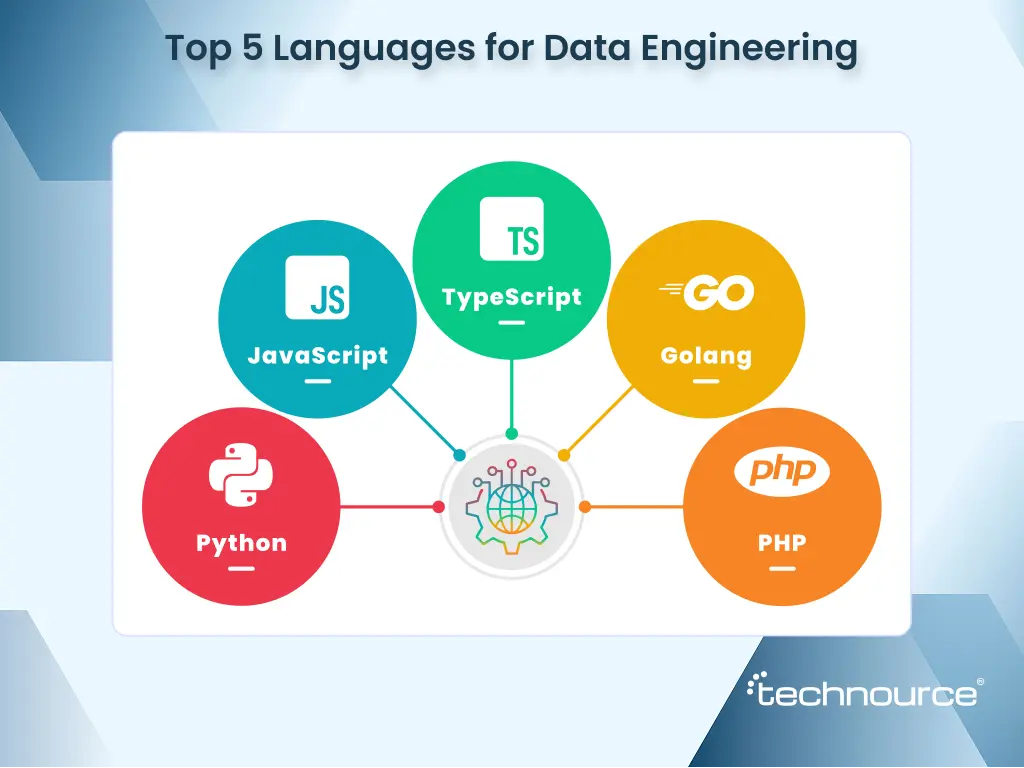
Top 5 Leading Programming Languages for Data Engineering in 2026
While finalizing the top programming languages for 2026 and beyond, I have a slight suspicion that I am jotting down the right things. Our team has already worked with 20+ programming languages to meet the client’s requirements. Now, based on demand and the current market scenario, I have whittled down the list of the top five programming languages for 2026.
1. Python
A plethora of data engineering professionals type “Which programming language is best?” into Google. Python is the first answer as this programming language strongly emphasizes code flexibility, ease of use and readability. Even a beginner can develop multiple AI applications with Python GUI frameworks.
The backend of one of the popular social media handles, Instagram, is made with the Django framework. With this, Python app developers are working cohesively that support Instagram’s latest features, including data storage, user requests, and image processing.
2. JavaScript
It’s a fundamental part of our daily lives, as it plays a crucial role in the development of the websites we use. Using JavaScript, web pages can apply style changes, validate data, and animate menus within a form without refreshing the page.
Additionally, JavaScript works for mobile and web app development, including games and server applications. Most websites implement JavaScript to control client-side page behaviors. Also, it can be used on the server side.
3. TypeScript
A superset of JavaScript that supports optional static typing. That means existing JavaScript applications can work seamlessly with this programming language. Developers can build JavaScript apps for both server-side and client-side execution, enabling large-scale application development.
4. Golang
A Google-designed programming language, similar to C, but it’s more articulate as it has features like structural typing and garbage collection. Due to its familiarity and speed, GO has developed momentum in statistical computing and in data programming.
There is a debate among developers over “Go Vs Python” regarding performance and scalability. However, it’s advisable to choose one, as both have distinctive features.
5.PHP
This is a renowned programming language for server-side development. PHP can gather data from online forms, create dynamic web page elements, and handle cookies.
How to Choose the Best Data Engineering Tools: Essential Factors You Must Know
Choosing the right data engineering tool is crucial to ensuring effective data processing and analysis. You must consider a few factors before making the final decision:
1. Performance
Check the developers’ ability to perform against the live work. If a developer is writing code, ensure the selected tool is working fine.
2. Data Quality
Ensure the data engineering tool supports quality miniatous, data cleaning, data maintenance, etc. It would be difficult to transfer the entire dataset while carrying it to another platform.
3. Compatibility
Data engineering tools must support multiple operating systems and data sources to enable easy data ingestion. Besides, a data engineer should not put much effort into configuring data.
4. Costing
This plays a pivotal role because the company’s budget is involved. There are multiple methods for determining which tools are suitable for performing data analysis. Based on the pre-determined resources, conclude.
And, You Have It!
Woo! You just finished reading the top 20 data engineering tools that are shaping technical teams. From the solid foundations of “Dockernet” and “dbt” to rising stars, the landscape of data engineering tools is ready to help your team, too!
Your Next Step:
Already using a data engineering tool? Audit it. What are the benefits of helping your organization? What are the bottlenecks causing disruption?
Feeling confused? Begin with one category and see the results.
In case you need a helping hand, Technource is always ready with people-first data engineering services. Our data experts can address your data issues and design data pipelines accordingly. Jot down your issues and pass them to us! We would be more than happy to help you!
Tools like Apache Airflow, Apache Kafka, and dbt are among the most popular data engineering tools for developing data pipelines.
These three are the fundamental tools in data engineering, but they serve different purposes. For instance, Apache Airflow provides workflow orchestration, and Apache Kafka provides distributed event streaming.
AI is transforming the existing data engineering scenario by incorporating autonomous, agentic workflows that automate redundant procedures. As a result, it will enhance reliability, efficiency, and speed.
Tools like Databricks, Google Cloud, AWS, and Microsoft Azure will offer the best integration with generative AI platforms.
The emerging trends include AI-optimized infrastructure, domain-specific AI models, data mesh and fabric architectures, etc.
Dhrumil Mistry is a tech expert and full-stack developer at Technource, skilled in PHP, Laravel, MySQL, and modern backend development. He contributes to building scalable, secure, and performance-focused digital solutions. Along with his backend expertise, he is proficient in frontend technologies such as React, Vue, and Next.js, enabling him to build seamless, responsive, and dynamic user interfaces. His interest in emerging technologies drives his work across AI/ML, data engineering, SaaS, blockchain, and IoT solutions, helping deliver innovative products for businesses.
Request Free Consultation
Amplify your business and take advantage of our expertise & experience to shape the future of your business.