A Slackbot delivers automated messages and sets reminders for you and your team members. Slackbot is an amazing helper for business operations to generate customized responses. In this blog, you will learn how to develop a Slackbot with the help of Golang, what is Slackbot, Golang, and much more.
This is an informative write-up by the professional developers of the top app development company. You can explore it and know everything about Slack bot development using Golang.
What Is Slack Bot?
A Slackbot is a slack app or a tool. It lets you interact with teammates, employees, and leaders in the office. It is like a handy robot assistant that waits for commands and responds accordingly. Often people don’t realize that they are talking to a tool because it is powered by Artificial Intelligence technology.
Here are some of the tasks that Slackbot performs.
It notifies colleagues or leaders when you mention them in a channel
Slack bot delivers reminders to you and your teammates in the channel and DMs
You can send custom Slackbot responses to your teammates
Members come to know when the channel is archived
But there is an issue. Turning off all notifications from Slackbot is not possible. You have to contact the owner and admin if you want to turn off notifications because of too many messages and customized responses.
You can add a variety of Slackbot custom responses, direct messages, and others. However, this is possible with the help of the owner and admin of the Slackbot.
What Are the Features of a Slack App or Slack Bot?
Slack is a collaboration hub with many features you can’t know in one day. It helps to bring the right people together with the right information. Slack features make the everyday office work of team members easy and efficient.
It lets you send a direct message through the slack channel in just a few minutes. Moreover, you can set custom responses as per your need. People who work in a company need to make a slack account to send slack messages. You can better understand this chatbot by knowing its features in the space below.
Set Reminders
Streamline the Sidebar
Advance Search Modifiers
Quick Navigation
Managing and Tracking Documents
Set Reminders
On busy days, it is obvious that some important matters slip or you forget to complete them. It is better to set reminders so that you don’t forget important tasks and finish them on time. With the help of remind command you can remind yourself of meetings, messages, files, events, deadlines, and others.
Moreover, you can set reminders for Slackbot custom responses. Developers also enable Slack API for an improved experience, so you can get the best solutions.
Streamline the Sidebar
Sidebar helps you to sort direct messages according to need. You can Star the channel that you need regularly. To never lose sight of channels, sidebar them at the top. Slackbot allows you to customize your sidebar theme. Likewise, you can set colors that please your eyes.
The chatbot is flexible enough as it also lets you adjust your theme and color scheme. Slack users go for this tool because of this type of flexible feature.
Advance Search Modifiers
Advanced search modifiers help you search for what you need. For this, just put the term in quotes. Furthermore, Slackbot lets you add an asterisk after a partial word. This way, you can search for any instances of that fragment. Developers can create this type of feature using SDLC phases.
You can narrow down exact messages and files by using additional features. So, developers who build web applications build logic for sorting, searching, and filtering.
Quick Navigation
If you are using MAC, you only need to type command+ K (Or /Command+ T) or type /CTRL+K
on a windows computer. So, you can reach any channel in a flash.
Managing and Tracking Documents
Documents are crucial in an office. So managing and tracking them is also important. Often, team members can’t find the right documents on time because they fail to manage them.
Slackbot helps you deal with this problem effectively. If you want to own a slack bot integrate features like it, so that team members and you can add new features and sync files anytime.
Steps to Create Slack Workspace
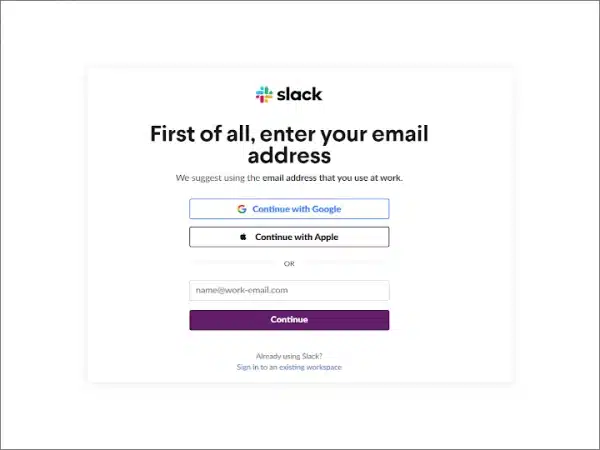
Slack workspace is a channel to send direct messages. The Slack channel lets people connect their tools and devices. To build a slack workspace follow the below steps.
1. Go to Slack
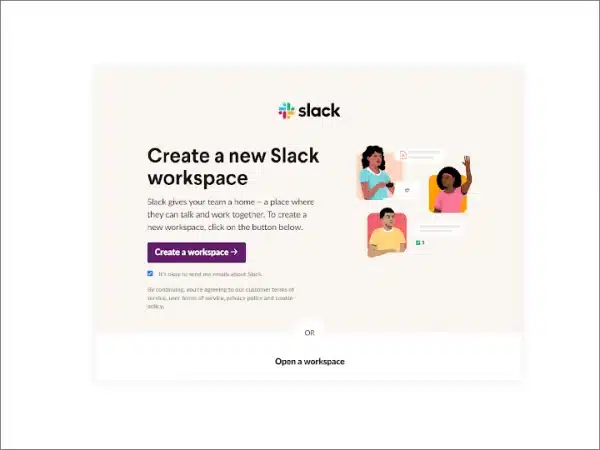
2. Click on Create a Slack Workspace
As you can see in the image below, to create a new Slack workspace, you have to click on “create a workspace”.
When you fill in the detail be careful and provide all the information asked in the form. The information is like team or company name and others to invite teammates. Now move ahead to build a Slack app.
How to Create a Slack Application?
Do you have plans for smooth business operations? Slack can be the best option because you can add features of your choice according to your business. Employees can use Slackbot with an office wi-fi password. There are many uses for Slackbot which is why most companies want it in their system.
Follow the below steps to create a Slackbot
1. Go to the Slack website
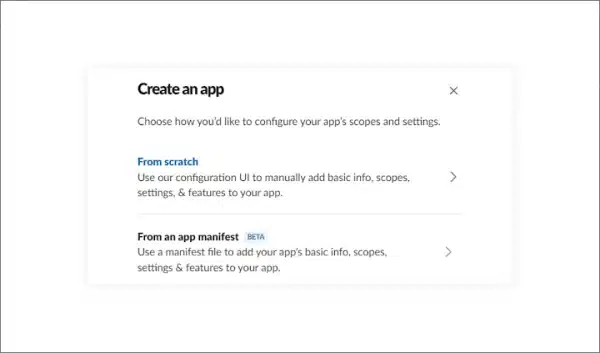
2. Choose “From Scratch”
3. You have to choose an application name from the Slackbot suggestions
4. Now create a bot with the app
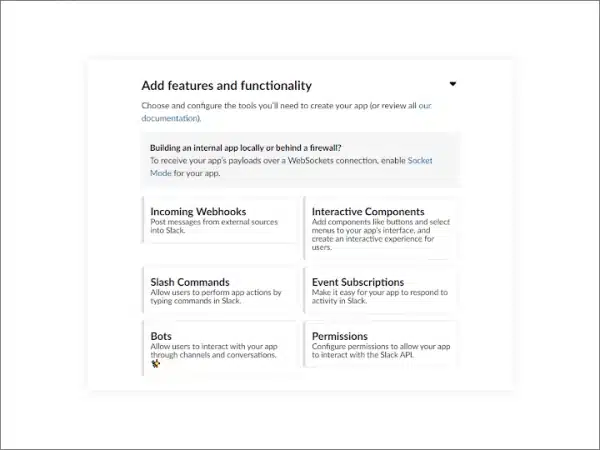
5. Click on “Bots”. You will be redirected to the help page
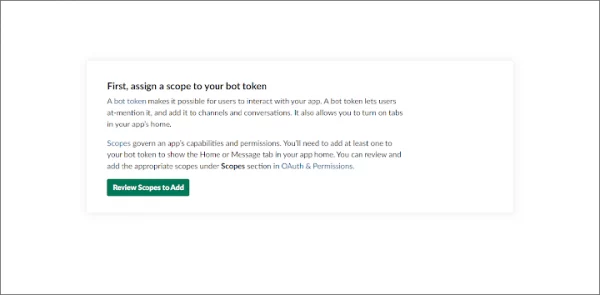
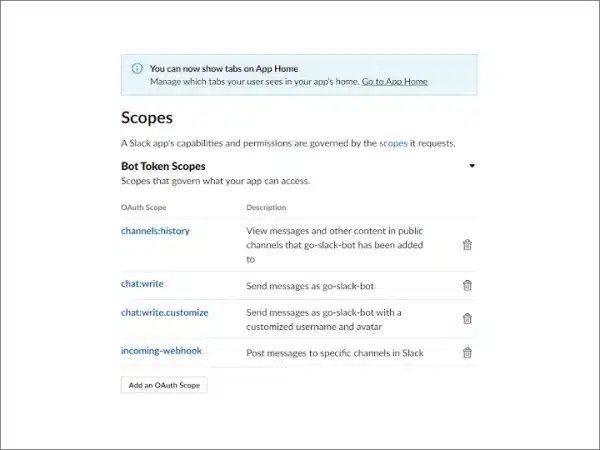
6. Add scopes and add permissions to the application
7. Click on “Review Scopes to Add”
8. Add four main scopes
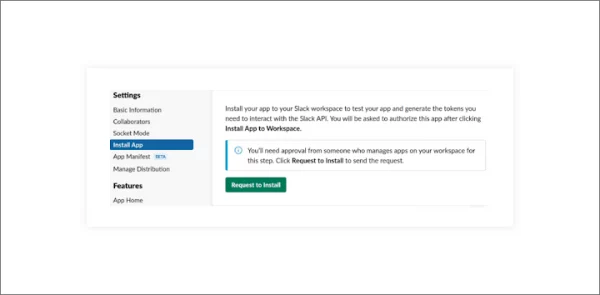
9. Now you can install the application
10. If you are not an owner, you have to request permission from the admin
Now select a channel that can a bot use. A bot uses a channel to post on an app.
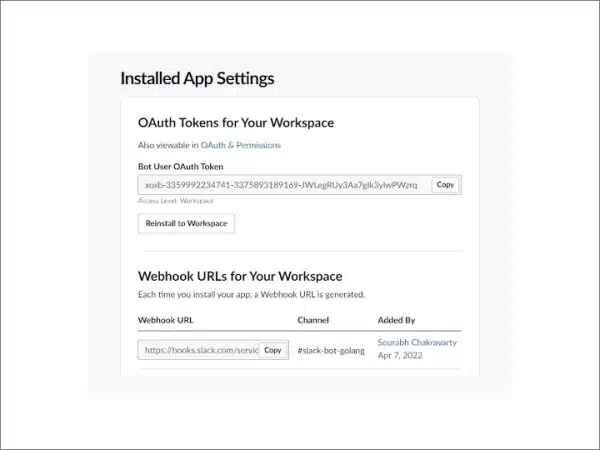
11. Click on “Allow”. This way, you can get the OAth Token and Webhook URL important for the authentication.
12. Now you have to invite the app to a channel. You can use Slack-bot-Golang
13. Write a command message that starts with a Slash /.;Invitethebotwiththecommand/invite@nameofyourbo
Golang Setup and Installation
For the Golang setup, you have to create a new directory, in which you can add codes. You will require an authentication token for writing a code. You can use any package, I used REST API, RTM, WebSockets, and events. Some tools are available to read environment variables.
How to Build Slackbot with Golang?
Different types of tools are used in offices like the HR portal. Employee performance is crucial and it is influenced by the HR portal.
Building a Slackbot depends on what you want. There are three types of Slackbots. So, if you want to own a Slack bot, check out the types.
Reply Bots
Notification Bots
Slash Command Bots
Reply Bots
These types of bots are the easiest ones to make. You can make Slackbot custom responses to reply to specific messages. Moreover, it checks questions often come on the slack channel and answer them accordingly.
Notification Bots
Notification bots are a little easy to make. They update you about what is happening in slack with a pop-up of notifications. Many businesses use such types of custom response tools.
Slash Command Bots
This type of command bot is triggered when a command begins with a slash. It is the most difficult type of bot to develop for custom responses. For example, to find animated GIFs, you use have to /Giphy.
Now move ahead to know how to develop Slackbot using Golang. I have divided the process into some steps.
Create a .env file. It is used to store Slack credentials and includes channel IDs.
You can find the channel ID in the UI
Click on the drop-down list “Slack-bot-Golang”
4. Now you have to start coding. Connect a workspace and post a simple direct message to check whether your code logic is right or not.
Create a slack attachment. You can add this data if you want
5. You have to run the below command for the functioning of the program
API Call for Slackbot
You have to handle slack events in the slack channel. It is because a Slackbot responds to predefined events. When a developer mentioned the bot, it receives a triggered event. Websocket is used to deliver events.
You have to add event subscriptions. Developers can find it in the features tab and activate it. Now add the app_mention scope to event subscriptions. This way you include a new event in the application.
Furthermore, you have to generate an application token. Here are the steps that you have to follow.
Step 1. Settings
Step 2. Basic information
Step 3. App-level tokens
Step 4. Generate token and scope
Step 5. Give a name to the token
You have to save the token by writing the .env file as SLACK-APP-TOKEN. Add a sub package of slack-go. It is called socketmode. It is important to use socket mode.
Furthermore, you have to create a new client for the socket mode. Connect the WebSocket client by calling socketmode. At the end socketClient.Run() helps to process new web socket messages. SocketClient.Events channel is to get messages. Go routine is also important to handle messages in the background.
You have to trigger an event on the event API in slack.
Run the program and enter the slack app and web. Mention by the bot using @yourbotname.
The event is logged in the command line to run the bot. You get the event_callback, it contains a play load with the actual event. Now you have to begin to implement the HandleEventMessage. It will continue the type switching.
Furthermore, you can reach and use payload events with the help of InnerEvent.
At this stage, you have to replace the previous log in the main function. It will print the event with the new HnadleEventMessage function.
Now you have to follow some steps.
Start by logging into the application
Add the users:read
After adding scope to the token
Create HandleAppMentionEventToBot function
You can fetch user details with the help of a user ID in the event.User. You will need event.text to fetch the actual message.
At this stage, restart the program and say hi or send any other message. This way, you can check whether the Slackbot working properly or not. if you see “missing_scope” error.
Conclusion
This is the end of the blog. I hope you liked it and got the information to create Slackbot using Golang. Follow the steps mentioned in the blog. If you still get stuck, you can contact Technource.
Slackbot is a type of tool that sends a custom response. It is like a chatbot but includes more features than it. You can create a custom response to reply the repeated messages with the help of Slackbot. It helps a Slack user efficiently.
Slackbot is a type of slack app. It is designed to set reminders, and send custom Slackbot responses through the slack channels. You can make custom responses on the Slackbot and work efficiently.
Slack generated revenue of $902.6M in 2020. However, slack follows a freemium business model. It means first you get a free version of Slackbot for custom responses. Slackbot offers subscription plans. A Slack user can send custom responses using it. The Slackbot owner can later move to a paid version if he likes the service such as channel message, custom response, and send messages.
If you select slack for business operations, it is a great tool. But there are many other competitors of Slack. Have a look at them below.
Adobe Acrobat
Office 365
Zimbra
HCL connections
Google workspace
Chatter
Atlassian Confluence
An app development cost depends on the business model, requirements, and complexity of a project. So, the price of Slackbot development depends on the type of Slackbot you want. An estimated cost of Slackbot development is $10,000-$25,000.
Chetan Patel is a Team Leader and seasoned Software Architect at Technource with over 12 years of experience in back-end development, database architecture, and server optimization. He specializes in PHP, Laravel, and MySQL, and brings strategic oversight to complex software projects. His expertise extends to emerging technologies like AI/ML, SaaS, Blockchain, and IoT, allowing him to craft future-ready solutions. Chetan's leadership fosters innovation and ensures scalable, high-performance software delivery aligned with evolving industry standards.
Request Free Consultation
Amplify your business and take advantage of our expertise & experience to shape the future of your business.