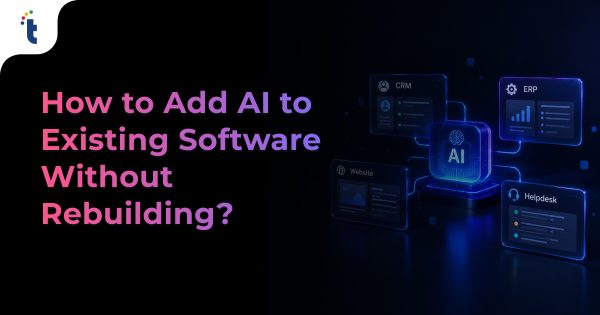

You can add AI to most CRM, ERP, website, and helpdesk systems without rebuilding them. This blog explains the six integration patterns that work, a playbook for each system, a 7-step rollout process, realistic costs and timelines, security controls, and ROI tracking. It also shows what to do when a legacy system has no API, with two Technource projects as proof.
Key Takeaways
- How to add AI to existing software without a rebuild comes down to one rule: connect a separate AI layer through APIs, webhooks, or middleware, and leave the core system untouched. A first AI feature typically goes live in 4–8 weeks.
- Most companies are stuck at the pilot stage: 88% use AI in at least one business function, but only about one-third have begun scaling it (McKinsey, November 2025).
- The helpdesk is the quickest win. Adoption of AI agents in customer service jumped from 39% to 66% in one year (Salesforce, May 2026).
- Budget in stages: a proof of concept costs $3,000–$8,000, and a production AI feature typically falls in the AI MVP range of $10,000–$50,000 (Technource pricing tiers).
- Set permissions before features: 92% of organizations hit by an AI-related breach lacked proper AI access controls (IBM, 2026).
Your CRM holds years of customer history. Your ERP runs finance and inventory.
Your website and helpdesk talk to customers every day.
Replacing any of them just to “get AI” is slow, risky, and usually unnecessary.
Adoption is no longer the hard part. McKinsey’s latest global survey found AI in use at 88% of organizations, while roughly two-thirds had not yet started scaling it (McKinsey, November 2025).
Pressure from the top keeps rising. Gartner found 91% of customer service leaders face executive pressure to implement AI in 2026 (Gartner, February 2026).
The missing piece is rarely the model. It is the connection between AI and the systems where work actually happens.
That makes this an integration problem, not a rebuild problem.
Can You Add AI to Existing Software Without Rebuilding It?
Yes. In most cases, AI runs as a separate service that your CRM, ERP, website, or helpdesk calls through APIs or webhooks, so the core system keeps working as it does today.
A rebuild is only justified when the system cannot share data at all, or when it is already due for replacement.
Modern AI models are delivered as cloud APIs. Your software calls them the same way it calls a payment gateway or an email service.
The model does not need to live inside your codebase. It only requires three things: data in, results out, and rules for what it may do.
| Factor | Add an AI Layer | Rebuild the System |
|---|---|---|
| Time to First Value | 4–8 weeks for a first feature | Months to years, depending on scope |
| Risk to Daily Operations | Low: the core system stays live | High: data migration and staff retraining |
| Starting Cost | $3,000–$8,000 proof of concept | Full replacement budget plus migration |
| Reversibility | Switch the AI feature off | Very hard to roll back |
| Best When | The system works, but workflows need to be smarter | The system is end-of-life, insecure, or cannot share data |
Signs a Rebuild May Actually Be the Right Call
- The system has no API, no database access, and no export option.
- The vendor no longer ships security patches.
- Business logic and data are so tangled that even a thin wrapper is unsafe.
- Maintaining integrations would cost more over three years than replacing the system.
If none of these apply, integrate first. You can still modernize later, with AI already delivering value.
Why Are Businesses Adding AI to Existing Systems Instead of Replacing Them?
Businesses add AI to existing systems because it delivers value sooner and with less risk than a rebuild. AI budgets are growing well ahead of overall budgets.
- AI spend is outpacing budgets: AI spending by customer service leaders rose 38%, while overall service budgets grew just 2% (Gartner, August 2026).
- Returns are showing up: more than three-quarters of enterprises now report some measurable ROI from AI (Dun & Bradstreet, July 2026).
- But profit impact is still rare: only 39% of organizations attribute any EBIT impact to AI (McKinsey, November 2025).
The pattern is clear. Value comes from changing real workflows, not from adding more AI tools. Our AI adoption statistics roundup tracks more of these trends.
Your existing systems are where that work happens. Customer records, invoices, tickets, and site content are already there.
Staff know these tools well. Adding AI inside familiar screens avoids retraining and keeps adoption high.
What Are the Main Ways to Add AI to Existing Business Software?
There are six proven patterns: native AI add-ons, inline API features, workflow automation layers, knowledge assistants (RAG), sidecar analytics, and permissioned AI agents. Most businesses start with one pattern and add others as confidence grows.
| Pattern | How It Works | Change to Core System | Typical Timeline | Best For |
|---|---|---|---|---|
| 1. Native AI Add-on | Switch on the vendor’s built-in AI | None (configuration) | 1–4 weeks | Standard tasks in one platform |
| 2. Inline API Feature | A button or backend call sends one task to an AI model | Minimal: one endpoint or UI element | 2–4 weeks | Summaries, drafting, classification |
| 3. Workflow Automation Layer | Events trigger AI steps; results are written back | None to minimal | 4–8 weeks | Lead routing, invoice extraction, ticket triage |
| 4. Knowledge Assistant (RAG) | AI answers from your documents and records | None | 4–8 weeks | Website assistant, internal help, agent assist |
| 5. Sidecar Analytics | A separate service reads data and produces insights | None (read-only) | 4–8 weeks | Forecasting, anomaly detection, reporting |
| 6. Permissioned AI Agent | AI completes multi-step tasks through approved tools | Minimal: scoped service accounts | 8–12 weeks | Order updates, refunds within limits, case resolution |
1. Native AI Add-ons
Most major platforms now ship their own AI: Salesforce Agentforce, HubSpot Breeze, Microsoft Copilot in Dynamics 365, SAP Joule, and Zendesk AI agents.
They are the fastest route when your task is standard, and your data lives in that one platform.
2. Inline API Features
A “Summarize” or “Draft reply” button calls an AI model with the record in view. The result appears on screen for a person to accept or edit.
This is the lowest-risk way to show AI value inside a tool people already use.
3. Workflow Automation Layers
A webhook fires when something happens, such as a new lead, invoice, or ticket. A small service runs the AI step and writes the result back.
Nothing in the core system changes except a few new fields. Our AI integration services follow this rule: the AI layer sits beside your system, not inside it.
4. Knowledge Assistants (RAG)
Retrieval-augmented generation lets AI answer from your own content: help articles, policies, product data, and past tickets.
The assistant retrieves the right passages first, then answers with source links. This cuts down on invented responses. Our MCP vs RAG comparison explains when retrieval is the right fit.
5. Sidecar Analytics
A separate service reads data through APIs or a read-only copy. It produces forecasts, anomaly alerts, or plain-English reports on its own dashboard.
It is the safest pattern for business-critical systems because it never writes to them.
6. Permissioned AI Agents
Agents take actions, not just suggestions. They might update an order, issue a refund under a set limit, or close a resolved case.
Give them narrow tools, spending limits, and human approval for anything high-impact. For a deeper walkthrough, see how to develop an AI agent.
The One Architecture Rule: Keep AI Outputs Separate
Store AI results in their own tables or clearly labelled fields such as “AI Score” or “AI Summary”.
Wrap every AI feature in a feature flag. If something goes wrong, you switch it off without a database migration.
Not sure which pattern fits your CRM, ERP, or helpdesk?

How to Add AI to Your CRM
Connect an AI service to your CRM’s API and webhooks, let it read contact, deal, and activity data, and write results back to clearly labelled custom fields. Start with one task such as lead scoring or call summaries.
High-value CRM Use Cases
Summaries, data cleanup, and outreach drafts are the quickest CRM wins at 2–4 weeks; lead scoring and next-best action take 4–8 weeks because they learn from your deal history.
| Use Case | What AI Does | Data Needed | Typical Timeline |
|---|---|---|---|
| Lead Scoring | Ranks leads by likelihood to convert | Won/lost history, activity, firmographics | 4–8 weeks |
| Call and Email Summaries | Summarizes conversations and logs next steps | Call transcripts, email threads | 2–4 weeks |
| Enrichment and Deduplication | Fills missing fields and flags duplicates | Contact records, enrichment API | 2–4 weeks |
| Next-Best Action | Suggests the follow-up most likely to move a deal | Pipeline stages, engagement history | 4–8 weeks |
| Outreach Drafts | Writes personalized drafts for rep approval | CRM notes, approved templates | 2–4 weeks |
How a CRM Integration Works
1. A new lead or logged call triggers a webhook.
2. The AI service pulls the record and related history through the CRM API.
3. The model scores, summarizes, or enriches the record.
4. Results are written to custom fields such as “AI Score” and “AI Summary”.
5. Reps see the output in the views they already use. No new app to learn.
Platform Notes
- Salesforce: REST and Bulk APIs, Platform Events for triggers, Agentforce for native AI.
- HubSpot: CRM APIs and workflow webhooks, Breeze for native AI.
- Zoho CRM: REST APIs and workflow rules, Zia for native AI.
- Microsoft Dynamics 365: Dataverse APIs, Power Automate, Copilot for native AI.
What to Watch
- API limits: batch heavy jobs overnight and queue real-time calls.
- Field-level security: the AI must never show a rep data they cannot already see.
- Dirty data: duplicate records distort scores, so clean them before training or scoring.
- Trust: show the top reasons behind each score, or sales teams will ignore it.
How to Add AI to Your ERP
Add AI around the ERP, not inside its ledger. Let an AI service read from APIs or a reporting replica, prepare outputs such as extracted invoice data or demand forecasts, and post anything financial through the ERP’s normal approval workflow.
High-value ERP Use Cases
Most ERP AI use cases take 4–8 weeks because they connect to finance data; supplier email triage is the quickest at 2–4 weeks.
| Use Case | What AI Does | Integration Point | Typical Timeline |
|---|---|---|---|
| Invoice and Document Extraction | Reads PDFs and emails, matches POs, prepares entries | AP import API with approval queue | 4–8 weeks |
| Demand Forecasting | Predicts stock needs from sales history and seasonality | Read-only replica or data warehouse | 4–8 weeks |
| Anomaly Flags | Spots duplicate payments, odd prices, unusual journals | Sidecar alerts to finance team | 4–8 weeks |
| Natural-Language Reporting | Answers “What were Q3 margins by region?” in plain English | Reporting layer, not the ledger | 4–8 weeks |
| Supplier Email Triage | Classifies and routes supplier queries | Shared inbox plus ERP lookup | 2–4 weeks |
Integration Rules for ERP
- Read from a replica or warehouse, so AI queries never slow down live transactions.
- Write only through official APIs or import routines, never directly to tables.
- Route every financial posting through human approval.
- Keep an audit trail of what the AI suggested and who approved it.
This is where AI business automation services pay off: AI handles the reading, matching, and routing, while your ERP keeps its controls.
Platform Notes
- SAP S/4HANA: OData APIs and SAP BTP for extensions, Joule for native AI.
- Oracle NetSuite: SuiteTalk REST and SuiteScript for event triggers.
- Microsoft Dynamics 365 Business Central / Finance: OData APIs and Power Automate, with Copilot built in.
- Odoo: JSON-RPC and REST modules, with easy access for custom AI services.
What to Watch
- Master data quality: messy vendor and item records break matching.
- Period-close freezes: schedule releases outside month-end.
- Heavy customization: older ERPs with custom code may need a wrapper API first.
- Financial controls: keep segregation of duties; the AI prepares, a person approves.
How to Add AI to Your Website
Add an AI assistant or AI search that answers from your own site content, product data, and policies, and sends qualified leads straight to your CRM. Most websites need a script embed or plugin plus a backend service, not a redesign. For storefronts, see how to integrate AI chatbots in an online store.
High-value Website Use Cases
The quickest website wins are AI site search and chat handoff, which take 2–4 weeks; a full AI assistant or lead qualification flow takes 4–8 weeks.
| Use Case | What AI Does | Typical Timeline |
|---|---|---|
| AI Assistant | Answers visitor questions from your content, with source links | 4–8 weeks |
| AI Site Search | Understands intent, not just keywords | 2–4 weeks |
| Lead Qualification | Asks the right questions and creates a CRM lead | 4–8 weeks |
| Booking and Handoff | Schedules demos or passes the chat to a human | 2–4 weeks |
| Content Operations (Internal) | Drafts product descriptions and meta tags for review | 2–4 weeks |
How a Website AI Assistant Connects
1. Your pages, help docs, and product data are synced into a search index.
2. A visitor asks a question in the chat widget.
3. The assistant retrieves matching content and answers with links.
4. Buying signals trigger qualification questions.
5. A lead with the chat transcript is created in your CRM.
Platform Notes
WordPress, Shopify, and Webflow sites usually need a lightweight script embed or app. Custom React or Next.js sites can add the assistant as a component that calls your backend.
What to Watch
- Made-up answers: restrict answers to indexed content and say “I don’t know” when nothing matches.
- Page speed: load the widget asynchronously so it never blocks the page.
- Privacy: show a clear notice and avoid collecting more personal data than needed.
- Prompt injection: treat visitor text as untrusted and never let it change system rules.
How to Add AI to Your Helpdesk
Start with AI that supports agents, such as ticket triage, suggested replies, and summaries, then add customer-facing self-service with a clear path to a human. Most helpdesks expose APIs, webhooks, and marketplace apps, so the ticketing system stays as it is.
Adoption here is moving fast: 66% of service organizations now use AI agents, up from 39% a year earlier (Salesforce, May 2026).
Customers still want a way out: 87% say companies using generative AI for service must provide access to a human agent (Gartner, August 2026).
High-value Helpdesk Use Cases
| Use Case | What AI Does | Risk Level | Typical Timeline |
|---|---|---|---|
| Triage and Routing | Tags intent, priority, and language, then routes | Low | 2–4 weeks |
| Suggested Replies | Drafts answers from your knowledge base for agents | Low | 4–8 weeks |
| Ticket Summaries | Writes handoff notes and case summaries | Low | 2–4 weeks |
| Self-Service AI Agent | Resolves simple requests like order status | Medium | 4–8 weeks |
| Actions with Limits | Issues refunds or updates orders within set rules | High | 8–12 weeks |
The Right Rollout Order
1. Agent-assist first: triage, summaries, and suggested replies that a person reviews.
2. Then simple self-service: order status, password resets, opening hours.
3. Then limited actions: refunds or changes under clear value limits, with logs.
Platform Notes
Zendesk, Freshdesk, Intercom, ServiceNow, Jira Service Management, and HubSpot Service Hub all support APIs and webhooks. Most also offer native AI, such as Zendesk AI agents, Freddy AI, and Fin.
What to Watch
- Knowledge base quality: AI is only as good as your help articles, so fix outdated ones first.
- Escalation design: hand over the full conversation so customers never repeat themselves.
- The right metric: track resolution, not deflection. A deflected but unresolved ticket comes back angrier.
Native AI Add-On vs Custom AI Layer: Which Should You Choose?
Choose a native add-on when the task is standard, and your data lives in one platform. Choose a custom AI layer when the workflow spans several systems, needs your own business rules, or requires control over data, models, and cost.
| Factor | Native AI Add-on | Custom AI Layer |
|---|---|---|
| Setup Speed | 1–4 weeks | 4–8 weeks for a first feature |
| Data Scope | One vendor’s data | Across CRM, ERP, helpdesk, and website |
| Customization | Limited to vendor features | Your rules, prompts, and models |
| Pricing Model | Per seat, per conversation, or per resolution, set by the vendor | Build cost plus usage-based running costs |
| Lock-in | High | Low: swap models or vendors |
| Best For | Standard sales and service tasks | Cross-system workflows and differentiating features |
Why a Hybrid Often Wins
Use native AI for tasks inside one tool, such as drafting a reply in Zendesk.
Use a custom layer to connect systems, such as checking ERP stock before the helpdesk promises a delivery date.
How to Add AI to Existing Software: A 7-Step Process
Pick one workflow and one KPI, audit system access, check data readiness, choose the integration pattern, build the AI layer outside the core system, test in shadow mode, then roll out gradually and measure. A first feature typically reaches production in 4–8 weeks.
| Step | Output | Typical Time |
|---|---|---|
| 1. Pick One Workflow and KPI | Baseline metric and success target | Week 1 |
| 2. Audit System Access | Integration map: APIs, webhooks, limits | Week 1 |
| 3. Check Data Readiness | Data fix list with owners | 1–2 weeks |
| 4. Choose Pattern and Model | Architecture and model shortlist | Under 1 week |
| 5. Build the AI Layer | Working service behind a feature flag | 2–4 weeks |
| 6. Shadow-Mode Testing | Accuracy report against human decisions | 1–2 weeks |
| 7. Gradual Rollout | Live feature, dashboard, review cadence | Ongoing |
Step 1: Pick One Workflow and One KPI
Choose a task that is frequent, rules-based, and painful. Examples: logging sales calls, keying invoices, or sorting tickets.
Record today’s number, such as average first response time, before you change anything.
Step 2: Audit How Your System Shares Data
- Which APIs and webhooks exist, and what are the rate limits?
- How does authentication work (OAuth, API keys, service accounts)?
- Is there a sandbox for safe testing?
- Can you get a read-only database copy if APIs are weak?
Step 3: Check Data Readiness
This is where most projects slow down. Only 6% of organizations say their enterprise data is fully ready for AI at scale, and 47% call it only partially ready (Dun & Bradstreet, July 2026).
- Duplicate or incomplete records
- Outdated help articles and policies
- Unclear record ownership and permissions
- Personal or regulated data that needs masking
Step 4: Choose the Pattern and the Model
Match the task to one of the six patterns above. Then pick the model.
Hosted models from OpenAI, Anthropic, and Google suit most tasks. Cloud platforms such as Azure OpenAI, Amazon Bedrock, and Google Vertex AI help when data residency matters.
Smaller, cheaper models often handle classification and routing just as well.
Step 5: Build the AI Layer Outside the Core
- Run AI as a separate service with its own queue.
- Store outputs in separate tables or labelled fields.
- Add a feature flag and a fallback, so the system works when AI is off.
- Log every prompt, response, and action for review.
Step 6: Test in Shadow Mode with Human Review
Let the AI process live data while its outputs are logged, not shown. Compare them with what your team actually decided.
Set a pass mark before launch, for example, agreement on routing for most tickets, and fix gaps first. Our guide on how to test AI models covers this step in more depth.
Step 7: Roll Out Gradually and Measure
Release to one team or a small share of traffic first. Watch accuracy, speed, cost, and user feedback.
Expand only when the KPI moves in the right direction.
What If Your Legacy System Has No API?
You can still add AI by building a thin access layer first: a wrapper API, a read-only database replica, scheduled exports, change data capture, or, as a last resort, robotic process automation. This usually adds 3–6 weeks before AI work begins.
| Option | How It Works | Best For | Watch Out For |
|---|---|---|---|
| Wrapper API | A small service exposes only the data and actions AI needs | On-premise apps with database access | Keep it narrow and versioned |
| Read-Only Replica | AI reads a copy of the database | Analytics and forecasting | No write-back; slight sync lag |
| Scheduled Export (ETL) | Nightly files feed the AI service | Batch scoring and reports | Not real-time |
| Change Data Capture | Database changes stream as events | Near-real-time triggers | Extra infrastructure |
| RPA | Bots work through the existing screens | No other access exists | Breaks when the UI changes |
A wrapper API is rarely wasted work. Once built, every future AI feature can reuse it without touching legacy code.
Is an older system holding back your AI plans?

How Much Does It Cost to Add AI to Existing Software?
A proof of concept on one workflow costs $4,000–$8,000, a clickable prototype costs $6,000–$12,000, and a production-ready AI feature typically falls in the AI MVP range of $10,000–$50,000 (Technource pricing tiers). Ongoing costs for model usage, hosting, and maintenance depend on volume and are scoped per project.
| Stage | What You Get | Price (Technource Tiers) | Typical Timeline |
|---|---|---|---|
| Proof of Concept | AI tested on your real data for one workflow | $3,000–$8,000 | 2–4 weeks |
| Prototype | Clickable flow showing AI inside your system | $6,000–$12,000 | 3–4 weeks |
| AI MVP (Production Feature) | Live, monitored AI feature integrated with your system | $10,000–$50,000 | 4–8 weeks for a first feature |
Typical Timelines by Use Case
Most single AI features take 2–8 weeks to build, while AI agents that take actions need 8–12 weeks.
| Use Case | Typical Timeline |
|---|---|
| CRM Call and Email Summaries | 2–4 weeks |
| CRM Lead Scoring | 4–8 weeks |
| ERP Invoice Extraction | 4–8 weeks |
| Website AI Assistant (RAG) | 4–8 weeks |
| Helpdesk Triage and Routing | 2–4 weeks |
| Helpdesk Suggested Replies | 4–8 weeks |
| Permissioned AI Agent with Actions | 8–12 weeks |
| Legacy Wrapper API | 3–6 weeks |
What Drives the Cost
- Number of systems the AI must read from or write to
- Data cleanup needed before results are reliable
- Legacy access work, such as a wrapper API
- Compliance needs: audit logs, data residency, masking
- Read-only insights versus AI that takes actions
- Languages, channels, and expected request volume
Ongoing Costs to Budget for
- Model usage, billed per token or per request
- Vector database and search index hosting
- Cloud hosting, monitoring and logging
- Prompt, model and knowledge-base updates
- Licences for any native AI add-ons you switch on
Two habits keep running costs in check: cache repeated answers, and use smaller models for simple tasks like tagging.
Want a clear, phased estimate for your first AI feature?
What Are the Common Challenges When Adding AI to Existing Systems?
The most common problems are poor data quality, inaccurate outputs, fragile integrations, weak access controls, low user trust, and rising running costs. Each one is fixable if you plan for it before the build starts. We cover the root causes of why AI projects fail.
| Challenge | What It Looks Like | How to Fix It |
|---|---|---|
| Data Quality | Duplicates, missing fields, stale help articles | Run a cleanup sprint and assign data owners |
| Inaccurate Outputs | Confident but wrong answers | Ground answers in your data, cite sources, use confidence thresholds |
| Fragile Integrations | API limits, vendor version changes | Queues, retries, monitoring and contract tests |
| Access and Privacy | AI shows data a user should not see | Least-privilege accounts and permission-aware retrieval |
| Low Adoption | Teams ignore AI suggestions | Embed AI in existing screens and explain each output |
| Cost Creep | Usage bills spike after launch | Caching, smaller models, budget alerts |
| Regulated Data | Health, financial, or personal data in prompts | Masking, data processing agreements, residency controls |
How Do You Keep AI Integrations Secure and Compliant?
Give the AI its own least-privilege service account, apply the same record-level permissions as the user, mask sensitive data before it reaches a model, log every AI action, and require human approval for anything that changes money, contracts, or customer records.
The risk is real. Among organizations that suffered an AI-related breach, 92% lacked proper AI access controls (IBM, 2026).
Unapproved tools add to it. Shadow AI was involved in 43% of the incidents IBM studied, and the average breach now costs about $5 million (IBM, 2026).
Security Checklist for AI Integrations
- A dedicated service account with only the permissions the AI needs
- Permission-aware retrieval, so AI never reveals records a user cannot open
- Masking of personal and payment data before prompts are sent
- Vendor terms that rule out training on your data and limit retention
- Data residency settings that match your contracts
- Audit logs of every prompt, response, and action
- Human approval gates for financial or contractual changes
- Defences against prompt injection from emails, tickets, and web chats
- A kill switch to disable any AI feature instantly
Compliance Notes
GDPR can apply whenever AI processes personal data of people in the EU. Plan lawful basis, minimization, and retention up front.
If you are a HIPAA-covered entity or business associate, build in HIPAA-required safeguards and have a business associate agreement with any AI vendor that creates, receives, maintains, or transmits PHI on your behalf.
EU AI Act obligations are phasing in. Keep documentation of what each AI feature does and how people can challenge its decisions.
How Do You Measure the ROI of AI in Existing Systems?
Record one baseline KPI before launch, then compare it at 30, 60, and 90 days against build and running costs. Narrow use cases often show value quickly: 70% of service organizations using AI agents saw measurable value within 60 days (Salesforce, May 2026).
| System | KPIs to Track |
|---|---|
| CRM | Lead response time, lead-to-opportunity rate, rep hours spent on admin |
| ERP | Invoice cycle time, manual touches per invoice, forecast accuracy |
| Website | Assistant-to-lead rate, answer accuracy, conversion on key pages |
| Helpdesk | First response time, resolution rate, CSAT, escalation rate |
A Simple ROI Formula
ROI = (hours saved × loaded hourly cost + revenue gained) − (build cost + running costs)
Use real logged hours, not estimates. Review the numbers every quarter, because running costs change with volume.
How Technource Added AI to Existing Systems: 2 Case Studies
Each project below follows the same principle: keep the client’s existing tools and add an intelligent layer around them.
How Technource Built VoiceMate AI, an AI Call Assistant for Microsoft Teams With 80% Faster Response Times
We built VoiceMate AI, an AI voice agent for a Greece-based business that answers customer calls inside its existing Microsoft Teams and Azure Communication Services setup. The client needed to handle orders and inquiries faster without replacing its phone system. Early prototypes sounded robotic, which risked customer trust.
Technource routed calls through a Session Border Controller into Azure Communication Services, where an AI bot detects intent, captures order details, and routes inquiries to the right Teams queue. Callers who ask for a person reach a live agent instantly. The stack included Python, ElevenLabs, Azure Cognitive Services, Microsoft ACS, Microsoft Teams, Azure Key Vault, and AWS.
Measurable Result
- 80% faster response time for customer inquiries
- 70% reduction in dependency on human agents
- Orders captured automatically, with structured email summaries and call recording links
- Instant handoff to a live agent when a caller asks for a person
- Recordings auto-deleted after 15 days to support GDPR requirements
How Technource Built Adenzo, an AI-Powered CRM Automation Platform With 65% Better Campaign Efficiency
We built Adenzo, a CRM and business automation platform for a UK-based B2B marketing company. The client needed one system that worked with the CRMs its partners already used (Salesforce, Zoho and HubSpot), while cleaning up large lead imports full of incomplete, fake and duplicate contacts.
Technource built custom middleware APIs for real-time, two-way sync with Salesforce, Zoho, and HubSpot, so no partner had to switch CRM. AI validation with OpenAI and Kaspr verifies emails, filters duplicates, and fills missing fields as leads arrive. The stack included PHP, MySQL, Twilio, Braintree, NeverBounce, OpenAI, and AWS, on a multi-tenant setup with isolated databases per organization.
Measurable Result
- 65% improvement in campaign efficiency
- Secure, isolated data operations for every organization
- Real-time, two-way sync with three external CRMs
- Cleaner lead data through automated email verification and deduplication
- Automated calling that skips unanswered calls after 30 seconds
Technource’s Approach: What We See in AI Integration Projects
The AI integration projects that succeed follow five simple habits, and most of them are decided before any code is written.
- Start with the most annoying workflow, not the flashiest feature. Teams adopt AI that removes work they dislike.
- Data cleanup usually takes longer than model work. Plan for it in week one.
- Agent-assist before customer-facing AI. Internal users forgive early mistakes; customers do not.
- Design the off switch first. If you cannot disable the feature in seconds, the architecture is wrong.
- Measure resolution, not activity. Fewer tickets reaching agents means nothing if customers come back.
Our Recommendation
If you can fund only one AI project this quarter, choose helpdesk triage or CRM call summaries. Both are narrow, measurable, and low-risk, and both run on data you already have.
Use that first win to fund the harder work: ERP automation and AI agents that take actions.
Future Trends: Where AI Integration Is Heading
Over the next two years, AI integration will move from single features to connected agents that work across your CRM, ERP, and helpdesk, with stronger governance and pricing based on outcomes.
Connected Agents Across Systems
Gartner notes that service organizations are moving beyond isolated AI use cases toward connected ecosystems of AI agents (Gartner, August 2026). Expect agents that check the CRM, ERP, and helpdesk in one flow.
Standard Connectors for AI
Open standards such as the Model Context Protocol (MCP) make it easier to expose business systems to AI through controlled, reusable connectors.
Native AI in Every SaaS Tool
Most CRM, ERP, and helpdesk vendors now bundle AI. The real choice shifts to which tasks stay native and which need a custom layer.
Outcome-Based AI Pricing
Several helpdesk vendors already charge per AI resolution. Expect more pricing tied to outcomes rather than seats.
Governance Becomes a Buying Requirement
Audit logs, access controls, and documented AI decisions are moving from “nice to have” to contract requirements.
Why Choose Technource to Add AI to Your Existing Software
Technource is an AI-powered product engineering company with 14+ years of experience building SaaS platforms, digital products, and workflow automation for clients in the USA, UK, Europe, Australia, and the Middle East.
Our software product development teams treat AI as part of the product, not a bolt-on.
- Integration-first: we add AI to the systems you already run before suggesting any rebuild.
- Full-stack delivery: APIs, data pipelines, AI services, dashboards, and UI from one team.
- Security by design: least-privilege access, audit logs, and approval gates in every build.
- Outcome focus: every project starts with a baseline KPI and ends with measured results.
- Long-term support: monitoring, model updates, and new features after launch.
Conclusion
You do not need new software to get value from AI. A safe, well-designed layer around the software you already trust is enough.
Start with one workflow and one KPI. Pick the simplest pattern that works, keep AI outputs separate, and test in shadow mode before anyone relies on the results.
Fix data and permissions early, because that is where most projects stall. Then scale from your first measured win to wider automation.
Technource provides AI software development services for CRMs, ERPs, websites, and helpdesks as part of complete digital products. If you want a practical plan for your systems, contact us, and we will map your first AI feature.
Ready to add AI to the software your team already uses?
FAQs
Yes. Most CRM, ERP, website, and helpdesk platforms can call an external AI service through APIs or webhooks, so the core system stays unchanged. A first AI feature typically reaches production in 4–8 weeks (Technource project guidance). A rebuild only makes sense when the system cannot share data at all or is already end-of-life. A proof of concept for one workflow costs $3,000–$8,000, and a production AI feature usually falls in the $10,000–$50,000 AI MVP range (Technource pricing tiers). The final figure depends on: Ongoing model and hosting costs are scoped per project. See our AI MVP development cost guide for a full breakdown. A focused feature such as call summaries or ticket triage takes 2–4 weeks, while lead scoring or suggested replies usually take 4–8 weeks (Technource project guidance). Plan another 1–2 weeks of shadow-mode testing before teams rely on the output. Native add-ons can often be configured in 1–4 weeks. Use built-in AI, such as Salesforce Agentforce or HubSpot Breeze, when the task is standard and your data sits in one platform; setup often takes 1–4 weeks. Choose a custom layer when the workflow spans several systems, needs your own rules, or you want control over models, data, and running costs.HADDAIYESS Assume it needs work. Only 6% of organizations say their enterprise data is fully ready for AI at scale, while 47% call it partially ready (Dun & Bradstreet, July 2026). Check for duplicates, missing fields, outdated help articles, and unclear permissions before choosing a model or building features. Our AI readiness checklist walks through each check. Yes. Build a thin access layer first: a wrapper API, a read-only database replica, scheduled exports, or, as a last resort, robotic process automation. This step typically adds 3–6 weeks (Technource project guidance), and the same layer can then serve every future AI feature without touching legacy code. It is safe when access is tightly controlled. Shadow AI was involved in 43% of the incidents studied in IBM’s 2026 Cost of a Data Breach Report (IBM, 2026). Give AI its own least-privilege service account, mask sensitive fields, log every action, and require human approval for financial or contractual changes. They will if a human stays within reach. In a Gartner survey published in August 2026, 87% of customers said companies using generative AI for service must provide access to a human agent (Gartner, August 2026). Start with agent-assist, add self-service for simple requests, and keep escalation one click away. Value can appear within weeks when the use case is narrow: 70% of service organizations using AI agents saw measurable value within 60 days (Salesforce, May 2026). Record a baseline KPI before launch, such as first response time or invoice cycle time, then compare at 30, 60, and 90 days. Start where volume is high, and mistakes are cheap, which is usually the helpdesk or CRM. Budgets reflect this: AI spending by customer service leaders rose 38% while their overall budgets grew 2% (Gartner, August 2026). ERP finance workflows usually come later because they need stricter approval controls.
HADDAIYESS
Related Insights and Articles