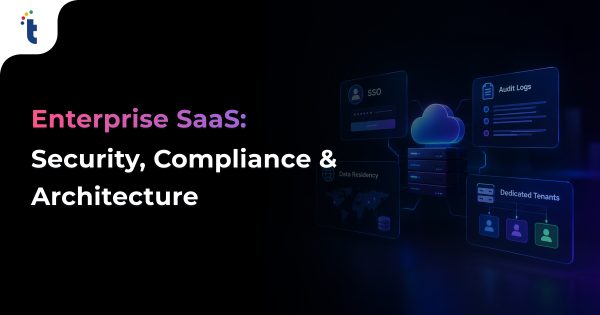
Enterprise buyers rarely reject a SaaS product for missing features. They reject it for missing controls. This guide covers the four controls that decide most enterprise deals: SSO, audit logs, data residency and dedicated tenants. You will get build patterns, a readiness checklist, cost and timeline estimates, and two Technource case studies.
Key Takeaways
Enterprise-ready SaaS gives customers control over identity (SSO and SCIM), evidence (audit logs), data location (residency), and isolation (dedicated tenants).
Vendor risk now drives buying decisions: 48% of breaches in Verizon’s 2026 DBIR involved a third party, up from 30% a year earlier.
Build SSO, SCIM, and audit logs first. A core enterprise package takes 10–14 weeks and $40,000–$80,000. Adding a dedicated tenant tier raises it to 16–20 weeks and $60,000–$120,000 (Technource estimates).
Data residency is not the same as compliance. GDPR allows transfers with safeguards, but a residency promise must also cover backups, logs, support access, and AI model calls.
Offer dedicated tenants from one codebase through infrastructure as code. Forking the product per customer multiplies maintenance cost.
SaaS is now the default way enterprises buy software.
Moving upmarket changes who evaluates your product. A team lead may love it. Security, IT, and legal decide whether it gets bought.
Those teams arrive with a questionnaire. The same questions repeat in every deal:
Can we log in through our identity provider?
Can we export a record of every admin action?
Where is our data stored and processed?
Can we get an isolated environment?
The stakes behind those questions are real. The average data breach now costs nearly $5 million globally and $11.5 million in the US (IBM, 2026). 48% of breaches involved a third party in 2026, up from 30% the year before (Verizon DBIR, 2026). Every SaaS vendor is a third party.
What Is an Enterprise-Ready SaaS Product?
An enterprise-ready SaaS product lets a customer’s IT and security teams control who gets access, see what happened, decide where data lives, and choose how isolated their environment is. In practice, that means SSO with SCIM, audit logs, data residency options, and a dedicated tenant tier, backed by evidence such as a SOC 2 Type II report.
Features win the user. Controls win the procurement review.
Control
Buyer’s question
What you build
Identity
Can we manage access from our identity provider?
SAML and OIDC SSO, SCIM provisioning, SSO enforcement
Role-based access control (RBAC), custom roles, admin console
Assurance
Can you prove your controls work?
SOC 2 Type II report, ISO 27001, pen test summary, trust center
Enterprise-Ready vs. Startup-Ready SaaS
The difference is who holds control. Startup-ready SaaS keeps control with the vendor, while enterprise-ready SaaS hands it to the customer’s admins.
Area
Startup-ready SaaS
Enterprise-ready SaaS
Login
Email and password, social login
SAML or OIDC SSO, enforced by the customer
User lifecycle
Manual invites and removals
SCIM creates and deactivates users automatically
Permissions
Admin and member
Predefined and custom roles
Activity history
Application logs for engineers
Customer-facing audit log with export
Data location
One region
Region chosen at onboarding
Isolation
Shared infrastructure
Logical isolation plus a dedicated option
Contracts
Click-through terms
MSA, DPA, and SLA with service credits
Why Do Enterprise Buyers Demand These Controls?
Enterprise buyers demand these controls because every SaaS vendor expands their attack surface and compliance scope. Security teams use questionnaires to confirm a vendor can be managed, monitored, and audited like an internal system.
Third-Party Risk Is Now Breach Risk
Security teams respond with longer vendor reviews. Standard formats such as SIG and CAIQ ask about SSO, logging, data location, and isolation in detail.
If your answer is “not yet”, the deal waits or goes to a competitor.
IT cannot manage 100 separate password systems. They manage one identity provider and expect every app to plug into it.
Offboarding is the real driver. A departing employee must lose access to every app within minutes, not days.
Regulation and Sovereignty Push Data Location Up the List
Over 70% of countries now have data protection and privacy laws (UNCTAD).
Sovereign cloud spending is forecast to reach $80 billion in 2026, up about 36% from 2025 (Gartner, 2026).
Buyers in Europe, the Middle East and Asia/Pacific increasingly ask where data sits before they ask what the product does.
Faster Detection Lowers Breach Cost
Breaches contained within 200 days cost an average of about $4.3 million, versus about $5.7 million for longer ones (IBM, 2026).
Good audit logs shorten investigations. That is why buyers treat them as a security control, not a reporting feature.
What We See in Enterprise SaaS Deals
In our SaaS projects, the first enterprise questionnaire usually arrives before the product is ready for it.
The most common blockers are SAML SSO, automated deprovisioning, and audit log export. Residency and dedicated tenants come up later, mostly in healthcare, fintech, and public-sector deals.
Teams that planned a clean tenant model early add these controls in weeks. Teams that did not often spend the first month just retrofitting tenant IDs.
Is an enterprise security questionnaire stalling your next deal?
Enterprise SSO lets a customer’s employees log in to your SaaS through their company identity provider, such as Okta, Microsoft Entra ID, or Google Workspace. You need SAML 2.0 and OpenID Connect (OIDC) support, multiple connections per tenant, and admin-controlled SSO enforcement.
SSO only works cleanly when every user, role, and record already belongs to a tenant. That is why we design the tenant model first in every SaaS development project.
SAML vs. OIDC: Which Should You Support?
Support both. SAML 2.0 remains the standard many large enterprises use for workforce apps, while OIDC is the newer JSON-based protocol favored by modern identity providers, mobile apps, and APIs.
Factor
SAML 2.0
OIDC
Format
XML assertions
JSON Web Tokens (JWT) on OAuth 2.0
Typical buyer
Large enterprises, established IdPs
Cloud-native teams, modern IdPs
Mobile and API fit
Weak
Strong
Customer admin setup
Metadata XML or URL, signing certificate
Client ID, client secret, discovery URL
Common risk
Weak XML signature validation
Loose token validation, redirect misconfiguration
Which SSO Capabilities Do Enterprise Buyers Check?
Buyers check whether their admins can set up, enforce, and recover SSO without your support team. These eight capabilities cover most questionnaire items:
Self-serve setup: admins connect their IdP from your admin console, without a ticket.
Domain verification: admins prove they own their email domain before SSO routing applies.
SSO enforcement: admins can block password logins for their domain.
Just-in-time (JIT) provisioning: new users get an account and default role on first login.
Group-to-role mapping: IdP groups map to roles in your product.
Break-glass access: one or two owner accounts can still log in if the IdP fails.
Certificate expiry alerts: admins are warned before SAML signing certificates expire.
Session controls: configurable session length and forced logout.
What Is SCIM Provisioning and Why Does It Matter?
SCIM (System for Cross-domain Identity Management) lets the customer’s identity provider create, update, and deactivate users in your app automatically. SSO controls login; SCIM controls the user lifecycle, including instant deprovisioning.
Without SCIM, a departed employee with an active session or API token can keep access.
Build against SCIM 2.0 (RFC 7644). Test with Okta and Microsoft Entra ID first, because each implements the standard with its own quirks. These quirks are a common source of SaaS integration challenges.
SCIM event
What your app must do
User created
Create the account, assign the mapped role, skip the invite email
User updated
Sync name, title, department, and group membership
User deactivated
Block login, revoke sessions and API tokens immediately, keep data for audit
Group changed
Recalculate roles and permissions for every member
What Are the Most Common SSO Implementation Mistakes?
The most damaging mistakes are linking accounts by email without domain verification, failing to revoke sessions on deprovisioning, and under-testing SAML signature validation. Each can let the wrong person into a customer’s tenant.
Matching users by email alone, which opens the door to account takeover.
Deactivating users without killing active sessions and API tokens.
Allowing only one SSO connection per tenant, which breaks for subsidiaries and acquisitions.
No break-glass path, which locks customers out during IdP outages.
Treating SSO as login only and ignoring logout, timeouts and re-authentication.
Should You Build or Buy SSO?
Most SaaS teams should buy the SSO and SCIM protocol layer and build the tenant, role and admin experience themselves. Writing SAML handling from scratch adds weeks of work and a security surface you must maintain forever.
Per-connection or per-user fees grow with your customer base
Open-source identity server (e.g. Keycloak, Ory, Zitadel)
Control and lower cost at scale
Your team runs, patches and scales it
In-house build on protocol libraries
Unusual requirements only
Highest security and maintenance burden
Our Recommendation
Model identity platform pricing against your three-year customer forecast before you commit.
Pricing billed per SSO connection or per monthly active user can change total cost sharply as you grow. Keep your tenant and role model in your own database so you can switch providers later.
Audit Logs for SaaS: What Should You Build?
A SaaS audit log is a tamper-resistant, customer-visible record of who did what, to which resource, when, and from where. Enterprise buyers expect to search it in your admin console, export it, and stream it to their SIEM, such as Splunk, Datadog, or Microsoft Sentinel.
Which Events Should a SaaS Audit Log Capture?
Capture every event that changes access, configuration, or sensitive data: authentication, user and role changes, settings changes, data exports and deletions, and API key activity. Skip high-volume read events unless the customer’s industry requires them.
Category
Example events
Why buyers care
Authentication
Login success and failure, MFA challenge, SSO assertion error
Detect account takeover
User lifecycle
Invite, SCIM create, deactivate, role change
Prove access reviews
Configuration
SSO settings, retention policy, IP allowlist changes
Catch privilege escalation
Data access
Export, bulk download, record deletion
Investigate data leaks
Integrations
API key created or revoked, OAuth app connected, webhook changed
Track machine access
Vendor support access
Support login or user impersonation by your staff
Hold the vendor accountable
What Fields Does an Audit Log Event Need?
Each event needs enough context to stand on its own during an investigation, without joining other tables. Nine fields cover most enterprise requirements.
Field
Example
Purpose
event_id
UUID
Deduplication and reference
tenant_id
org_4821
Scopes the event to one customer
actor
User ID, email, type (human, API key, system, AI agent)
Who acted
action
user.role.updated
What happened, in a stable naming scheme
target
Resource type and ID
What was affected
timestamp
UTC, ISO 8601
When, with consistent time zones
context
IP address, user agent, location
Where the request came from
result
Success or failure
Failed attempts matter too
changes
Before and after values
Proves exactly what changed
How Should Audit Logs Be Stored, Retained and Exported?
Audit logs must be append-only, protected from deletion by every user, including admins, and kept long enough to meet the customer’s compliance rules. A common pattern is 90 days searchable in-app, with one year or more available through export or archive on enterprise plans.
Write-once storage: use object lock or a write-once store, separate from the application database.
Tamper evidence: hash-chain events so any edit or gap is detectable.
Tenant scoping: customers see only their own events; your staff access is itself logged.
Export options: CSV and JSON download, an API with pagination, and streaming to SIEM tools.
Data minimization: log identifiers, not full payloads. Never log passwords, tokens, or card data.
What Do Compliance Frameworks Require From Audit Logs?
Most security frameworks require audit logging, but few set one retention period for every SaaS vendor. PCI DSS is the clearest: it requires at least 12 months of audit log history, with the last three months immediately available.
Framework
What it expects
Retention
SOC 2
Logging and monitoring evidence for security events
Set by your policy; auditors test that you follow it
ISO/IEC 27001:2022
Logging control (Annex A 8.15)
Set by your policy and risk assessment
HIPAA Security Rule
Audit controls that record and examine activity in systems holding ePHI (§164.312(b))
Not fixed for logs; required documentation is kept 6 years
PCI DSS v4.0
Logs of access to cardholder data and admin actions (Requirement 10)
12 months, with 3 months immediately available
GDPR
Accountability and security of processing (Articles 5(2) and 32)
No fixed period; keep personal data in logs to a minimum
Audit Logs vs. Application Logs: What Is the Difference?
Application logs help your engineers debug, while audit logs help your customer’s security team prove accountability. They need different storage, access rules, and retention, so never reuse one for the other.
Aspect
Application logs
Audit logs
Audience
Your engineers
Customer admins, auditors, security teams
Content
Errors, traces, performance data
Security-relevant actions by actors
Mutability
Can be sampled, rotated or dropped
Append-only, tamper-evident
Retention
Days to weeks
Months to years, per contract
Access
Internal only
Tenant-scoped, exposed in product and API
Need audit logs your customers’ security teams will actually accept?
What Is Data Residency in SaaS and How Do You Build It?
Data residency means storing, and often processing, a customer’s data in a geographic region they choose, such as the EU, US, or India. In SaaS, it usually means running regional deployments and pinning each tenant to one home region at onboarding.
Data Residency vs. Data Sovereignty vs. Data Localization
Data residency is where data is stored, data sovereignty is which country’s laws govern it, and data localization is a legal mandate that data stay inside a country. A US-owned cloud region in Frankfurt can meet residency needs but may not satisfy strict sovereignty requirements.
Term
Meaning
Usually driven by
Example
Data residency
Physical storage location
Customer policy or contract
EU customer data stored in an EU region
Data sovereignty
Legal jurisdiction over data
Government and regulated buyers
Operator and support staff must be in-country
Data localization
Legal duty to keep data in-country
National or sector law
Payment data stored only in India
Which Regulations Drive Data Residency Requirements?
Few laws require data to stay in one country; most regulate how it moves across borders. Residency requests usually come from a mix of transfer rules, sector regulators, and the customer’s own risk policy.
Jurisdiction
Key rule
What it means for SaaS
EU (GDPR)
Transfers outside the EEA need an adequacy decision, Standard Contractual Clauses, or another safeguard
EU hosting is not mandated but simplifies sales. Meta was fined €1.2 billion in 2023 over EU-US transfers (EDPB).
India
DPDP Act 2023 allows transfers except to restricted countries; RBI requires payment system data to be stored in India
Fintech and payments clients may need India hosting
China
PIPL requires local storage for critical operators and a security assessment for certain exports
Usually needs a separate China deployment
Russia
Personal data of Russian citizens must be recorded and stored in Russia first
Needs in-country storage
United States
No general federal residency law; FedRAMP governs federal cloud use
Residency is mostly set by contracts
This table is a starting point, not legal advice. Confirm obligations with counsel for each market before you make residency commitments.
Which Architecture Patterns Support Data Residency?
The most common pattern is a regional deployment, or cell, per geography: a full copy of the application and its data stores in each region, with a thin global layer that routes each tenant to its home region.
Pattern
How it works
Best for
Watch out for
Full regional stack (cell)
Independent app and database per region
Strict residency and sovereignty
Operations effort grows with each region
Global control plane, regional data plane
Billing and login routing are global; customer data stays regional
Most B2B SaaS
Keep personal data out of the global layer
Regional storage only
App runs globally; files and databases pinned to a region
Light requirements
Processing still crosses borders
What Must a Data Residency Promise Cover?
A residency promise covers more than the primary database. Backups, logs, search indexes, analytics pipelines, support tools, subprocessors, and AI model calls can all move customer data out of region.
Backups and disaster recovery: keep replicas in the same geography, such as two EU regions.
Logs and monitoring: observability tools often ship data to a US region by default.
Search and analytics: indexes and warehouses need the same region pinning.
Support access: decide whether support staff outside the region can view customer data.
AI features: a hosted LLM API may process prompts in another region unless the provider offers regional endpoints.
Subprocessors: publish a subprocessor list per region so customers can verify it.
Our Recommendation
Make the region a tenant attribute from day one, even if you run a single region today.
Adding a region ID later means touching every query, job, storage path and integration. Adding it early costs almost nothing.
Dedicated Tenants vs. Multi-Tenant SaaS: What Is the Difference?
A dedicated tenant gives one customer its own database, compute, or full infrastructure stack, while a multi-tenant deployment shares infrastructure across customers with logical isolation. Most enterprise-ready SaaS products run multi-tenant by default and offer dedicated tenants as a premium tier.
What Are the SaaS Tenancy Models?
AWS describes three models: pool (shared resources), silo (dedicated resources per tenant), and bridge (a mix of both, such as a shared web tier with dedicated databases). The right model can differ for each service in the same product. For a deeper look at how these models work in practice, see our guide to multi-tenant SaaS architecture.
Factor
Pool (shared)
Bridge (mixed)
Silo (dedicated)
Isolation
Logical, enforced in code and database
Dedicated for sensitive layers
Physical or account-level
Cost per tenant
Lowest
Medium
Highest
Noisy-neighbor risk
Higher
Reduced
Minimal
Operations effort
Lowest
Medium
Highest without automation
Customer controls
Limited
Some, such as dedicated keys
Upgrade windows, network rules, own keys
Typical buyer
SMB and mid-market
Upper mid-market
Regulated enterprise, public sector
When Does a Customer Need a Dedicated Tenant?
A dedicated tenant is justified when a customer has regulatory isolation rules, needs customer-managed encryption keys or private networking, runs workloads heavy enough to affect others, or needs control over upgrade timing.
Regulated data: healthcare buyers bound by HIPAA financial services, and government buyers with isolation clauses.
Performance: large data volumes or batch jobs that would slow shared infrastructure.
Network control: private connectivity, IP allowlists or a deployment in the customer’s cloud account.
Change control: fixed maintenance windows and delayed upgrades for validation.
If none apply, strong logical isolation plus clear documentation usually closes the deal at a much lower cost.
How Do You Offer Dedicated Tenants Without Forking Your Product?
Run every tenant, shared or dedicated, from one codebase and one release pipeline, and provision dedicated environments through infrastructure as code. The deployment differs; the product does not.
Infrastructure as code: Terraform or AWS CDK templates create a dedicated stack on request.
Tenant registry: one routing table maps each tenant to its pool, cell, or dedicated stack.
Shared identity and operations: onboarding, billing, monitoring, and support stay common, as AWS recommends for silo tenants.
Release waves: ship to internal and pooled tenants first, then dedicated tenants in later waves.
Per-tenant cost tags: track the real infrastructure cost of every dedicated tenant.
This is a product engineering decision, not just an infrastructure one. A software development company plans this in the early stages to avoid an expensive re-platforming project later.
How Should You Price a Dedicated Tenant?
Price a dedicated tenant on its infrastructure cost plus operations effort, not as a simple feature unlock. Underpricing it turns your largest customers into your least profitable ones.
A one-time setup fee for provisioning, security review, and onboarding.
A recurring fee that covers dedicated infrastructure at your gross-margin target.
A minimum contract term, usually annual, to recover setup effort.
Planning a dedicated tenant tier without splitting your codebase?
Beyond the four core controls, buyers check role-based access control, MFA enforcement, encryption, customer-managed keys, uptime SLAs, and independent compliance reports. These usually appear in the same security questionnaire.
Control
What buyers expect
Priority
RBAC
Predefined and custom roles, least-privilege defaults
Must-have
MFA enforcement
Admins can require MFA for any user not on SSO
Must-have
Encryption
TLS 1.2 or higher in transit, AES-256 at rest
Must-have
Customer-managed keys
Customer holds and can revoke the key in their own KMS
Regulated deals
Uptime SLA
Commonly 99.9% (about 43 minutes of downtime a month) with service credits
Must-have for contracts
SOC 2 Type II / ISO 27001
Independent audit report or certification
Expected by most buyers
Trust center
Security page, subprocessor list, report requests
Speeds up reviews
One wording point matters in sales material. SOC 2 is an attestation report, not a certification, so say “SOC 2 Type II report”, not “SOC 2 certified”.
Enterprise SaaS Readiness Checklist
Use this checklist to see which controls you already have before your next enterprise deal. Phase 1 items block most first deals; Phase 2 and Phase 3 items unlock regulated and global buyers.
Control
Phase
Ready?
SAML 2.0 and OIDC SSO with self-serve setup
1
☐
Domain verification and SSO enforcement
1
☐
SCIM 2.0 provisioning and instant deprovisioning
1
☐
RBAC with custom roles
1
☐
Customer-facing audit log with CSV and JSON export
1
☐
Tenant isolation enforced in the database layer
1
☐
MFA enforcement for non-SSO users
2
☐
Audit log streaming to SIEM tools
2
☐
Second data residency region
2
☐
Trust center and published subprocessor list
2
☐
SOC 2 Type II report
2
☐
Dedicated tenant tier provisioned through infrastructure as code
3
☐
Customer-managed encryption keys
3
☐
Private connectivity options
3
☐
How Should You Prioritize Enterprise Features?
Build in three overlapping phases: identity and evidence first, then location and assurance, then isolation. Together they take 16–20 weeks, and Phases 1 and 2 alone take 10–14 weeks (Technource estimates).
Phase
What you build
What it unlocks
Timing
1. Identity and evidence
SSO, SCIM, RBAC, audit logs
Most mid-market and first enterprise deals
Weeks 1–8
2. Location and assurance
One residency region, SIEM streaming, MFA enforcement, trust center
Security-heavy and EU or APAC buyers
Weeks 6–14
3. Isolation
Dedicated tenant tier, customer-managed keys
Regulated enterprise and public sector
Weeks 12–20
A SOC 2 Type II audit runs alongside this work. Its observation period usually lasts 3–12 months, so start it as soon as Phase 1 controls are live.
How Technource Builds Enterprise-Ready SaaS
We treat enterprise readiness as product engineering, not a security patch. Every control is designed into the tenant model, the release pipeline, and the admin experience.
Step 1: Map Real Questionnaires to Controls
We collect three to five security questionnaires from stalled or lost deals. Each question maps to a control, an owner, and a phase.
This keeps the roadmap tied to revenue, not to a generic checklist.
Step 2: Design the Tenant Model
Every table, job, file path and cache key gets a tenant ID and a region attribute. Isolation is enforced in the database layer, for example with row-level security, not only in application code.
Step 3: Build Identity and Evidence
We connect SSO and SCIM through the identity platform that fits your growth model. Then we build RBAC, the admin console, and the audit pipeline on top.
Step 4: Automate Tenant Operations
Manual tenant setup does not scale past a handful of enterprise customers. Tenant provisioning, quarterly access reviews, and compliance evidence collection are repetitive, rule-based tasks that AI automation services can handle with little manual effort.
That turns a dedicated tenant from a two-week ticket into a repeatable, logged workflow.
Step 5: Test Like a Buyer
Before launch, we run cross-tenant access tests, SSO tests against Okta, Microsoft Entra ID and Google Workspace, IdP outage drills and an external penetration test.
The output is documentation your sales team can attach to the next questionnaire.
How Much Does It Cost to Make SaaS Enterprise-Ready?
Making an existing SaaS product enterprise-ready typically costs $40,000–$80,000 and takes 10–14 weeks for SSO, SCIM, RBAC, audit logs and one data residency region. Adding a dedicated tenant tier raises the total to $60,000–$120,000 and 16–20 weeks (Technource estimates).
Capability
Build time
Estimated cost
SSO (SAML and OIDC) via an identity platform
2–4 weeks
$5,000–$10,000
SCIM 2.0 provisioning
2–3 weeks
$5,000–$10,000
RBAC and admin console
3–5 weeks
$8,000–$15,000
Audit logs with export and SIEM streaming
3–4 weeks
$8,000–$15,000
One additional data residency region
6–10 weeks
$15,000–$30,000
Core package (items above, built in parallel)
10–14 weeks
$40,000–$80,000
Dedicated tenant tier with automated provisioning
8–12 weeks
$20,000–$40,000
Full package including dedicated tenants
16–20 weeks
$60,000–$120,000
Costs assume an existing product with a reasonable tenant model, so they exclude the SaaS development cost of building the product itself. Retrofitting tenant IDs into an older codebase adds time and cost.
Which Ongoing Costs Should You Budget For?
Ongoing costs depend on scale, so budget for them as line items rather than one figure.
Identity platform fees: often billed per SSO connection or per monthly active user.
Extra regions: each region repeats your base infrastructure and monitoring.
Dedicated tenants: infrastructure and operations for each isolated stack.
Log storage: retention and SIEM streaming grow with event volume.
Assurance: annual SOC 2 audits, compliance tooling and penetration tests.
Should You Charge Extra for SSO?
Most SaaS companies include SSO in a business or enterprise tier rather than every plan. That is common, but steep markups are criticized as an “SSO tax”, and many buyers now expect basic SSO on mid-tier plans.
A balanced approach keeps basic SSO affordable. Place SCIM, log streaming, residency and dedicated tenants on enterprise plans, where they map to real cost.
Want a clear estimate for your enterprise feature roadmap?
What Are the Most Common Mistakes When Taking SaaS Upmarket?
The most expensive mistakes are retrofitting tenant isolation late, building one-off features for a single customer, and promising residency or compliance you cannot yet prove.
Mistake
Consequence
Fix
Tenant isolation added late
Months of refactoring every query and job
Tenant ID and region in the data model from day one
Custom code per enterprise customer
Forked releases and slower delivery for everyone
Configuration and feature flags, one codebase
Claiming residency too early
Failed audits and contract breaches
Map every data flow, including backups and AI calls
App logs sold as audit logs
Rejected in security review
Separate, append-only audit pipeline
SSO without SCIM
Former employees keep access
Ship SCIM with or right after SSO
Manual dedicated tenant setup
Weeks per customer and configuration drift
Infrastructure as code and automated provisioning
Technource Case Studies: Enterprise SaaS Controls in Production
These two Technource SaaS builds show tenant isolation, scoped administration and audit trails working in live products. Full write-ups are on our case studies page.
How Technource Built Telepath, a Multi-Tenant Pharmacy SaaS With 65% Faster E-Prescribing Approvals
We built Telepath, a SaaS pharmacy platform that lets healthcare organizations launch branded online pharmacies with e-prescriptions and telehealth.
Each organization needed its own branded portal, secure prescribing, and smooth, trackable handoffs to pharmacies and shipping partners.
Technource built a multi-tenant architecture that gives each organization its own portal on a subdomain or custom domain. We integrated DoseSpot for secure e-prescribing, Agora for telehealth consults, and Carepoint, TransitionRx and Easypost for pharmacy coordination and shipment tracking.
The stack included React.js, Node.js, MySQL, AWS S3, DoseSpot, Agora, Carepoint, TransitionRx, Easypost and Paytheory.
Measurable Result
65% faster e-prescribing approvals
Multiple organizations running independent branded pharmacies from one shared platform
Connected pharmacy and shipping workflows with real-time order tracking
Audit logs and pharmacy order tracking for compliance
Integrated payments and automated cart recovery to improve purchase conversions
How Technource Built Hommati, a Franchise-Based Real Estate SaaS With Under 2-Second Media Load Times
We built Hommati, a real estate SaaS platform where franchise owners manage territories, agents and leads, and buyers explore homes through MLS listings, 3D tours, drone video and AR previews.
The client needed territory-scoped control for each franchise, fair lead distribution across overlapping territories, and fast media delivery at scale.
Technource built franchise and territory management with region-specific territories, agent assignment, and franchise-level analytics. We added a geolocation-based routing engine with round-robin logic, an asynchronous caching pipeline for ListHub MLS data, and AWS S3 with CDN streaming for media.
The stack included PHP, Python, RESTful APIs, MySQL, PostgreSQL, Android Java, iOS Swift, ListHub, Google Maps, Braintree, Twilio, Cloudflare, and Vuforia.
Measurable Result
Under 2-second average load time for media-heavy content
MLS listings refreshed within minutes without server overload
Automated, territory-based lead routing in place of manual assignment
Franchise, agent and admin dashboards for listings, leads and revenue
Technource’s Approach to Enterprise-Ready SaaS
Questionnaire first: real buyer questions decide the roadmap, not a generic list.
Tenant model before features: tenant ID, region and isolation rules come before SSO screens.
Buy protocols, build experience: proven identity platforms for SAML and SCIM; your own admin and role model.
One codebase: pooled and dedicated tenants ship from the same pipeline.
Automate operations: provisioning, access reviews and evidence collection run as logged workflows.
What Are the Future Trends in Enterprise SaaS Readiness?
Enterprise readiness requirements are expanding in four directions: sovereign and regional hosting, governance of AI agents and other non-human identities, phishing-resistant authentication, and continuous compliance automation.
Sovereign Cloud Becomes a Buying Criterion
Gartner expects sovereign cloud IaaS spending to grow fastest in the Middle East and Africa (89%), Mature Asia/Pacific (87%), and Europe (83%) in 2026. Europe is forecast to pass North America in 2027 (Gartner, 2026).
Expect more buyers to ask who operates your infrastructure, not just where it sits.
AI Agents Need Identities and Audit Trails Too
As agentic AI in SaaS spreads, AI features now call APIs and change records on a user’s behalf. Buyers want those actions scoped, revocable, and logged like any other actor.
Add an “AI agent” actor type to your audit schema and give agents their own scoped tokens.
Passkeys and Phishing-Resistant MFA
More security teams now ask for FIDO2 passkeys and phishing-resistant MFA. If customers use SSO, their IdP handles this; for non-SSO users, your product must support it.
Continuous Compliance Automation
Annual audits are giving way to continuous evidence collection. Automated access reviews, configuration checks, and evidence exports shorten every security review.
Why Choose Technource for Enterprise-Ready SaaS
Technource is an AI-powered product engineering company with 14+ years of experience building SaaS platforms, digital platforms, and workflow automation for clients in the USA, UK, Europe, Australia, and the Middle East.
Product engineering view: we design controls into the tenant model and release pipeline, not as add-ons.
Multi-tenant experience: Telepath runs many healthcare organizations, and Hommati many franchises, on one shared product each.
Security in delivery: isolation tests, SSO test suites, and penetration testing are part of the plan.
Automation built in: AI-powered workflow automation for tenant provisioning, access reviews and compliance evidence.
Clear estimates: feature-level costs and timelines, so you can plan around real deals.
Conclusion
Enterprise-ready SaaS is less about new features and more about handing control to the customer.
SSO and SCIM give them identity control. Audit logs give them evidence. Data residency and dedicated tenants give them location and isolation.
Build them in that order, on one codebase, and each control becomes reusable across every future deal.
Technource builds SaaS platforms with these controls designed in from the first sprint. Our SaaS product development services help businesses build scalable, secure platforms that meet evolving enterprise requirements.
If you are preparing for your first enterprise deal, contact us to map your gaps and plan the roadmap.
Ready to pass your next enterprise security review?
Enterprise readiness means customer IT teams can control identity, review activity, choose data location, and request isolation. In practice, that requires SAML or OIDC SSO with SCIM, exportable audit logs, regional hosting and a dedicated tenant option, plus RBAC and a SOC 2 Type II report. A core package typically takes 10–14 weeks to build (Technource estimate).
SAML 2.0 uses XML assertions and remains common in large enterprises for workforce apps. OIDC uses JSON Web Tokens on top of OAuth 2.0 and suits modern identity providers, mobile apps, and APIs.
Support both, because the average company runs over 100 apps (Okta, 2025) and expects each one to work with its identity provider.
Yes, for most enterprise deals. SSO controls how users log in, while SCIM controls when accounts are created, updated, and deactivated. Without SCIM, a departed employee can keep active sessions or API tokens. Adding SCIM 2.0 typically takes 2–3 weeks and costs $5,000–$10,000 (Technource estimate).
Each event needs nine fields: event ID, tenant, actor, action, target, UTC timestamp, context such as IP address and user agent, result, and before-and-after values. Capture these event types at minimum:
Logins, MFA challenges and SSO errors
User, role and settings changes
Data exports, deletions and API key activity
It depends on the customer’s framework. PCI DSS requires at least 12 months of audit log history, with three months immediately available. SOC 2, ISO 27001 and HIPAA leave log retention to your documented policy. A practical pattern is 90 days searchable in-app and one year or more through export or archive.
No. GDPR does not require EU storage, but it restricts transfers outside the EEA unless an adequacy decision, Standard Contractual Clauses or another safeguard applies.Enforcement is real: Meta was fined €1.2 billion in 2023 over EU-US transfers (EDPB). Many EU buyers therefore prefer EU hosting to simplify their own reviews.
A dedicated tenant gives one customer its own database, compute or full infrastructure stack instead of shared resources. AWS calls this the silo model. It suits regulated data, heavy workloads and customer-managed keys. Adding a dedicated tenant tier typically takes 8–12 weeks and $20,000–$40,000, plus ongoing infrastructure (Technource estimate).
A core package of SSO, SCIM, RBAC, audit logs and one data residency region typically costs $40,000–$80,000 and takes 10–14 weeks. Adding a dedicated tenant tier raises the total to $60,000–$120,000 and 16–20 weeks. Ongoing costs include identity platform fees, regional infrastructure and annual audits (Technource estimates).
Adding SAML and OIDC SSO typically takes 2–4 weeks with a managed identity platform and a clean tenant model. Building SAML handling from scratch, or retrofitting tenant IDs into an older codebase, takes longer. Test with Okta, Microsoft Entra ID and Google Workspace before launch.
Most SaaS companies include SSO in a business or enterprise tier rather than every plan. Steep markups are criticized as an “SSO tax”, especially since SSO through a managed identity platform typically takes only 2–4 weeks to build. A balanced model keeps basic SSO affordable and places SCIM, log streaming, residency and dedicated tenants on enterprise plans.


 AI ConsultingStrategic AI Roadmaps